Slide 2 of 3 from Free Blimp Concept for PowerPoint
Monthly Goals Represented in PPT
Blimp Process Flow for PowerPoint
- Diagram
- Process Flow
- Process Slide
- 16:9
- 100% Editable
The Blimp Process Flow Diagram slide from the Free Blimp Concept for PowerPoint template offers a distinctive visual for illustrating project timelines and workflow presentations. Featuring editable shapes and a horizontal flow, it supports clear communication of process steps toward a goal, making it a practical choice for business presentation slide decks and pitch deck templates.
About This Slide
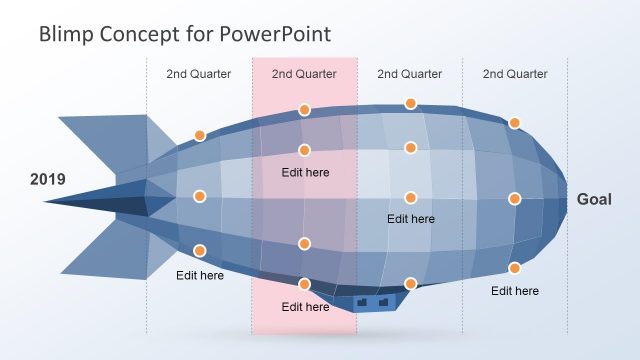
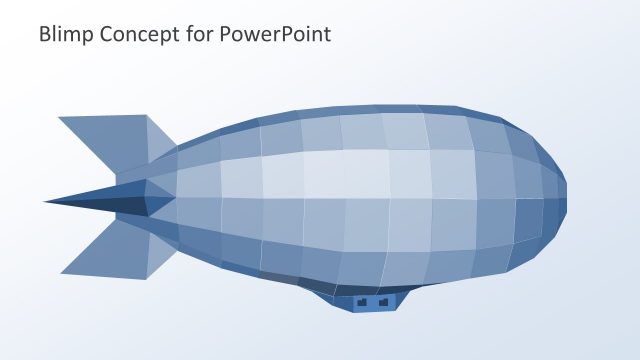
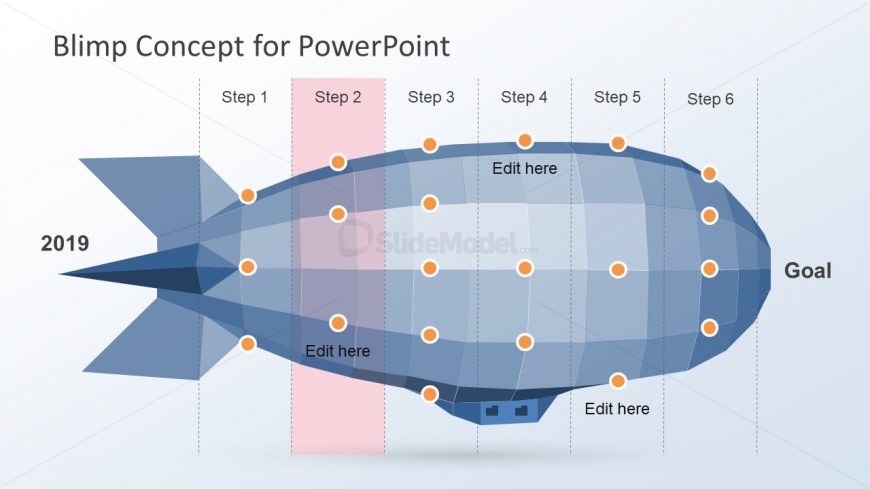
The blimp concept PowerPoint is a shape of Monthly Goals Represented in PPT. It is a timeline and planning presentation which shows the time frames as six divisions from start towards the goal. Also, the slide is incredible helpful for explaining a 6 step process or a model concept. The small circular icons represent the activates or work packages within a project. Whereas, the text boxes assist in adding important notes like additional resources. There is a section with pink translucent highlight, it is useful for focusing on single time frame at a time.
What’s on This Slide
The slide features a blimp-shaped diagram oriented horizontally, with six labeled steps positioned along the top. Each step is represented by a circular node, with the second step highlighted in pink. The blimp contains multiple editable text placeholders, strategically placed near the nodes and at the bottom. The year '2019' is displayed on the left, while the word 'Goal' is positioned on the right. The background is a light gradient, enhancing the visibility of the blimp and its labels. The overall layout emphasizes a clear flow from left to right.
How to Use It
This layout serves as a process flow diagram, illustrating a sequence of steps leading to a goal. It fits well in presentations focused on project planning or process management. The blimp shape can symbolize a journey or progression, making it suitable for business scenarios such as project timelines, strategic planning, or workflow presentations. It can be used individually to highlight specific stages in a process or collectively within a series of slides to depict an entire project lifecycle.
Text Placeholders & Capacity
Keep your copy within these limits so it fits without resizing. Node labels are tight, roughly 2-3 words each.
| Placeholder | Count | Max characters (approx.) |
|---|---|---|
| Item heading | 6 | 10 |
| Item body | 4 | 20 |
| Slide title | 1 | 30 |
| Footer | 1 | 10 |
Slide Keywords
Download unlimited PowerPoint templates, charts and graphics for your presentations with our annual plan.
DOWNLOADReturn to Free Blimp Concept for PowerPoint.