Slide 2 of 4 from Free 3D Infographic Slides for PowerPoint
Free PowerPoint of 3D Infographics
4 Step Bar Chart for Presentations
- Chart
- Bar Vertical
- Evaluation Slide
- 16:9
- 100% Editable
The 4 Step Bar Chart slide from the Free 3D Infographic Slides for PowerPoint template offers a clear visual format for comparing performance metrics across four categories. This slide layout, featuring editable shapes and vector icons, supports business presentations by enabling concise progress tracking and sales comparisons within a professional slide deck.
What’s on This Slide
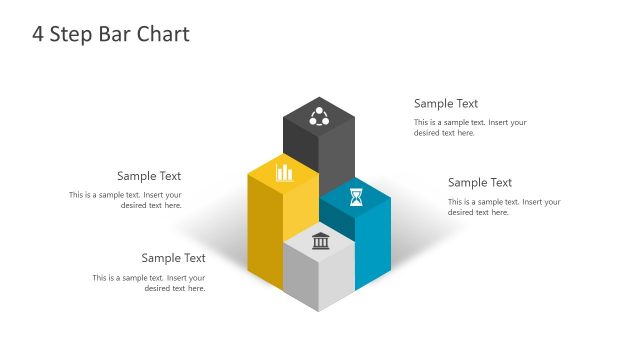
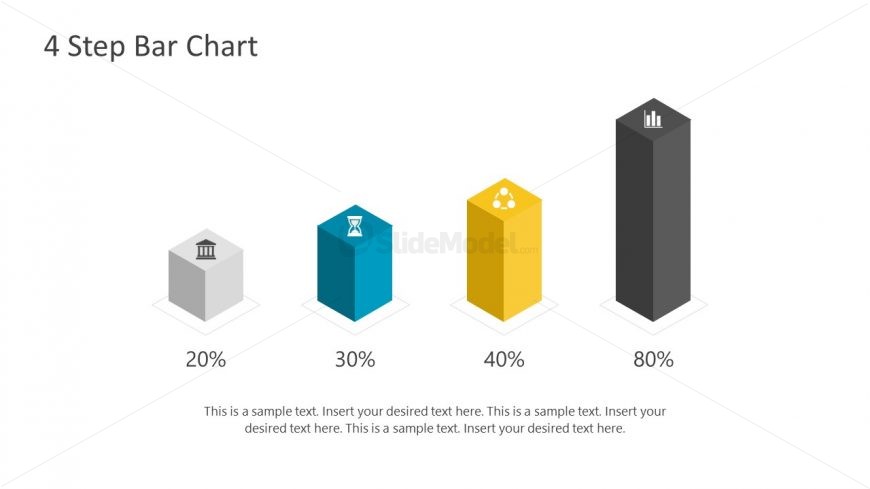
The layout features four vertical bar shapes arranged in a row from left to right. Each bar has a unique color: gray, teal, yellow, and black, with corresponding percentage labels at the bottom. The first bar is the shortest at 20%, while the last bar is the tallest at 80%. Above each bar, there are icons representing different concepts. A text placeholder is centered below the bars, allowing for additional descriptions. The background is white, creating a clean and simple visual hierarchy.
How to Use It
This layout serves as a visual comparison tool, ideal for showcasing progress or performance metrics across four categories. It fits well in a presentation sequence following an introductory slide and preceding detailed analysis. Use this structure in business contexts such as project updates, sales performance reviews, or any scenario requiring clear quantitative comparisons. It effectively communicates data-driven insights to stakeholders.
Text Placeholders & Capacity
Keep your copy within these limits so it fits without resizing. Body slots can accommodate roughly 30-40 words each.
| Placeholder | Count | Max characters (approx.) |
|---|---|---|
| Slide title | 1 | 20 |
| Item heading | 4 | 5 |
| Item body | 4 | 50 |
| Body paragraph | 1 | 150 |
Slide Keywords
Download unlimited PowerPoint templates, charts and graphics for your presentations with our annual plan.
DOWNLOADReturn to Free 3D Infographic Slides for PowerPoint.