Slide 2 of 2 from Free 3-Item Horizontal Infographic PowerPoint Template
Free 3-Item Horizontal Infographic PPT Layout
3-Item Horizontal Infographic PowerPoint Template
- Diagram
- Comparison Split
- Process Slide
- 16:9
- 100% Editable
The 3-Item Horizontal Infographic slide from the Free 3-Item Horizontal Infographic PowerPoint Template is designed for effective comparison of product features, project phases, or marketing strategies. This layout includes three sections with circular icons and text placeholders, ensuring clarity and visual appeal in presentations. It is an ideal choice for creating engaging business presentations that enhance audience understanding.
What’s on This Slide
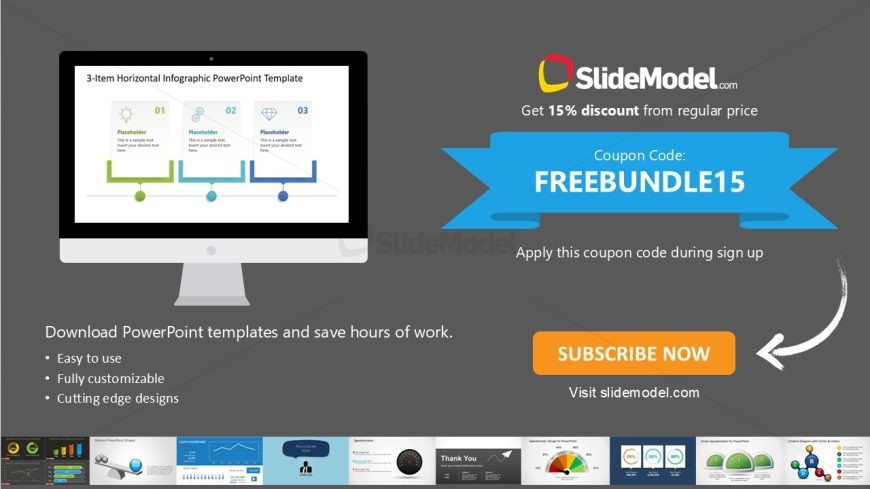
The layout features three distinct sections arranged horizontally. Each section contains a circular icon at the top, labeled 01, 02, and 03, with corresponding text placeholders beneath. A horizontal line connects the sections, with colored accents indicating flow. The icons are simple shapes, including a circle and a diamond. The background is a dark gray, while the sections are set against a lighter area. Text placeholders are centrally aligned within each section, maintaining a clear visual hierarchy. Additional media and text placeholders are located at the bottom.
How to Use It
This layout serves as a comparative infographic, ideal for presenting three related items or concepts. It fits well in a presentation sequence after introducing a topic or problem, providing a clear visual breakdown. Suitable scenarios include product features, project phases, or marketing strategies. This layout allows for easy customization to fit various business contexts, enhancing audience understanding through visual representation.
Text Placeholders & Capacity
Keep your copy within these limits so it fits without resizing. Node body slots can hold roughly 10 words each.
| Placeholder | Count | Max characters (approx.) |
|---|---|---|
| Item heading | 3 | 20 |
| Item body | 3 | 50 |
Slide Keywords
Download unlimited PowerPoint templates, charts and graphics for your presentations with our annual plan.
DOWNLOADReturn to Free 3-Item Horizontal Infographic PowerPoint Template.