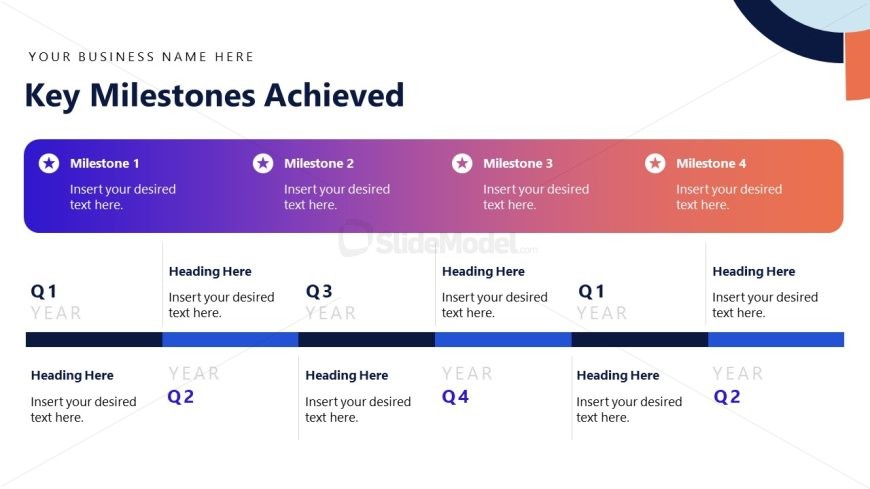
Slide 6 of 15 from Stakeholder Presentation PowerPoint Template
Key Milestones Achieved – Stakeholder Presentation PPT Layout
Key Milestones Achieved Slide
- Diagram
- Timeline Horizontal
- Project Plan Slide
- 16:9
- 100% Editable
The Key Milestones Achieved slide from the Stakeholder Presentation PowerPoint Template offers a clear horizontal timeline layout ideal for tracking project progress. This slide template features editable shapes and vector icons to highlight sequential achievements, making it suitable for quarterly business reviews and stakeholder presentations within a corporate presentation or pitch deck template.
What’s on This Slide
The layout features a title at the top center stating 'Key Milestones Achieved.' Below, four milestone sections are arranged horizontally, each with a star icon and a colored background transitioning from purple to orange. Each section contains a placeholder for milestone text. Below the milestones, there are two rows for quarterly headings, labeled Q1 and Q2, with placeholders for additional text. The overall composition is structured, with a clear visual hierarchy emphasizing the milestones and quarterly headings. Background colors alternate between light and dark shades, enhancing readability.
How to Use It
This layout serves to present key milestones achieved over a specified timeline, typically fitting into a project overview or progress update in a business presentation. It is effective for showcasing accomplishments in a sequential manner, making it suitable for stakeholder updates or project reviews. This slide is best positioned after a problem framing slide to highlight solutions and achievements. It is useful in contexts such as quarterly business reviews or project milestone celebrations.
Text Placeholders & Capacity
Keep your copy within these limits so it fits without resizing. Node labels can hold about 10 words each, while body text slots are tighter.
| Placeholder | Count | Max characters (approx.) |
|---|---|---|
| Slide title | 1 | 30 |
| Item heading | 4 | 50 |
| Item body | 4 | 100 |
| Stage label | 2 | 10 |
| Body paragraph | 2 | 100 |
Slide Keywords
Download unlimited PowerPoint templates, charts and graphics for your presentations with our annual plan.
DOWNLOADReturn to Stakeholder Presentation PowerPoint Template.