Are you hosting a sports event at your organization or institute and want to provide certificates to high achievers? Acquire our creative Sport Certificate Template for PowerPoint to present the competitive players with an appreciation certificate. A certificate is a symbol of recognition, dedication, and excellence. It is a token of appreciation that is more than a treasury for the best performers. We have created this template for event organizers, companies, business managers, HR heads, and other educational or academic heads. They can download our certificate template to craft relevant certificates for their best players. Organizations can repurpose the template to use it as a best employee certificate, performer of the year certificate, etc. They can also use it as an e-certificate or edit it and print it out to present the relevant persons with the certificates in ceremonies.
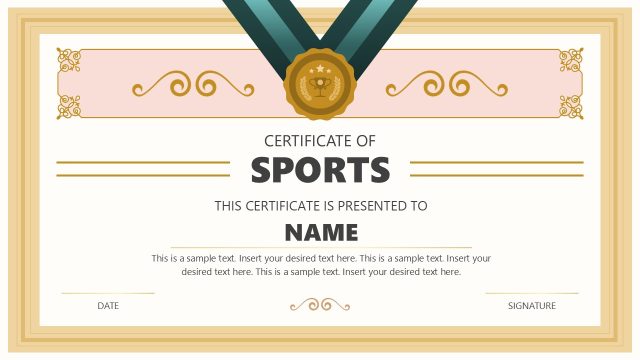
The Sport Certificate Template for PowerPoint is a one-pager template with the certificate slide. The slide shows a large golden medal on the right side of the slide which has a blue-green lined ribbon. The golden medal represents a charming victory and achievement. Below it, there are two small rectangular shapes with round edges which the organization or institute can use to display the badges of achievement in the sports. Users can edit the placeholder text to write their relevant points. On the right, we have the title: ‘Certificate of Most Valuable Player’ where some of this text is placed in a ribbon shape with folded ends that make the certificate more attractive. Further, below it, users can write the name of the certificate holder and one of two lines under the name.
Next, there are two lines provided for displaying the name and signature of the certificate giver. All the elements used in our template are 100% customizable and professionals can change them based on their needs. Moroever, they can also adjust the color palette depending on the theme of their sports institute. Download this unique and modern spot certificate PPT template and personalize it now! Also, check our complete collection of certificate PowerPoint templates and sports presentation templates.
What’s inside this template
Example presentation scenarios
- A coach can use the medal illustration and MVP ribbon to present a most valuable player certificate at the end of a tournament or season.
- A school administrator can replace the recipient name, body text, and signature fields to recognize student athletes during an awards assembly.
- An HR manager can adapt the sports certificate layout into a performer of the year award by changing the ribbon text and brand seal placeholder.
- An event organizer can prepare printable certificates for competition winners using the date line, signature line, and award badge placeholders.
Features
- 100% editable presentation template
- Compatible with Microsoft PowerPoint and Google Slides
- 16:9 aspect ratio slides
- Scalable vector shapes, icons and illustrations
- AI-Ready for Microsoft Copilot and Claude
- Instant access and download
Frequently asked questions
Q: How should the certificate text be organized for a live awards moment?
A: Keep the recipient name as the main focal point and use the body copy for a short, specific reason for recognition. The medal and MVP ribbon already signal the award category, so avoid long paragraphs. The presenter can read the title, announce the name, then summarize the achievement in one concise sentence.
Q: Who is this certificate template best suited for?
A: This template fits presenters who need a ready recognition piece rather than a full event deck. Coaches, school leaders, HR managers, and competition organizers can use the same structure for MVP awards, participation certificates, sports day winners, or internal performance recognition where a single named recipient is the focus.
Q: Why does the medal and ribbon layout work for an achievement certificate?
A: The large medal creates an immediate achievement cue, while the curved ribbon gives the award title a ceremonial position above the recipient name. This visual hierarchy helps the audience understand what is being awarded, who is receiving it, and where the certificate becomes official through the date and signature lines.


Sport Certificate Template for PowerPoint
1-slide sport certificate presentation template with medal, MVP ribbon, signature lines, and award placeholders
The Sport Certificate Template for PowerPoint is a 1-slide 16:9 certificate presentation template for recognizing sports participants and MVP performers. It includes a large medal illustration, curved ribbon title banner, recipient name area, body text, brand seal placeholders, and date and signature lines for PowerPoint and Google Slides.
- Category
- Shapes
- Rating

 Loading...
- Aspect ratio
- 16:9
- Item ID
- 22625-01
- Colors
 Microsoft PowerPoint
 Microsoft Copilot
 Claude for PowerPoint
Other formats supported
Subscribe today and get immediate
access to download our PowerPoint templates.