Slide 1 of 2 from Sensegiving Slide PowerPoint Template
Sensegiving Slide Presentation Template
Sensegiving Process Diagram Overview
- Diagram
- Process Flow
- Process Slide
- 16:9
- 100% Editable
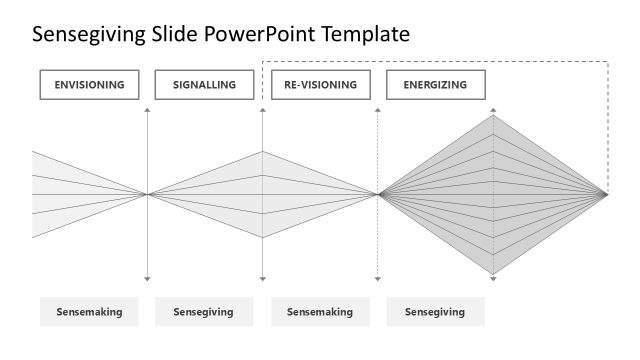
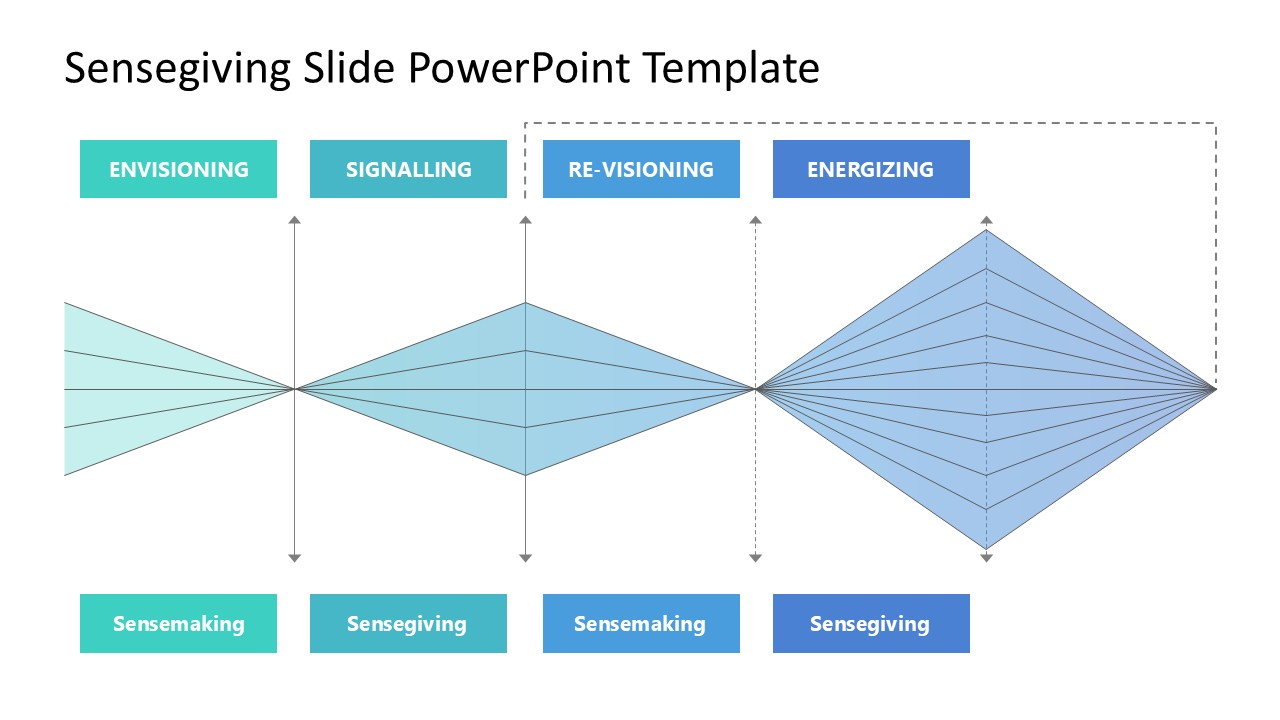
The Sensegiving Process Diagram slide from the Sensegiving Slide PowerPoint Template visually represents key phases in change management and employee engagement. This slide template uses editable shapes and vector icons to illustrate the flow between envisioning, signalling, re-visioning, and energizing, making it ideal for corporate presentations and strategic planning meetings focused on sensemaking and sensegiving processes.
What’s on This Slide
The slide features a central diagram illustrating a sensegiving process. It includes four labeled sections at the top: 'ENVISIONING', 'SIGNALLING', 'RE-VISIONING', and 'ENERGIZING'. Below these sections, two broader shapes labeled 'Sensemaking' and 'Sensegiving' are positioned. The diagram consists of several triangular shapes that converge towards the center, indicating a flow of ideas. The shapes are colored in shades of blue and teal, with a light background. Text placeholders exist for titles and labels, aligned centrally above and below the diagram.
How to Use It
This layout serves as a process diagram, illustrating the steps in a sensegiving framework. It fits well in a presentation discussing change management or employee engagement strategies. Use this slide to explain the progression through different phases of sensegiving, making it suitable for workshops or training sessions focused on organizational change. It can also be used in strategic planning meetings to visualize the relationship between sensemaking and sensegiving.
Text Placeholders & Capacity
Keep your copy within these limits so it fits without resizing. Title slot is moderate, roughly 5-6 words each.
| Placeholder | Count | Max characters (approx.) |
|---|---|---|
| Slide title | 1 | 30 |
| Item heading | 4 | 15 |
Slide Keywords
Download unlimited PowerPoint templates, charts and graphics for your presentations with our annual plan.
DOWNLOADReturn to Sensegiving Slide PowerPoint Template.