Slide 11 of 13 from Scenario Planning PowerPoint Template
Robust Strategy Slide for Actionable Options Discussion
Robust Strategy Actionable Options Slide
- Text Layout
- List Blocks
- Strategy Slide
- 16:9
- 100% Editable
The Robust Strategy Actionable Options slide from the Scenario Planning PowerPoint Template offers a clear layout ideal for strategic planning and project proposals. Featuring editable shapes and vector icons, this slide supports presenting multiple initiatives with distinct headings and text blocks, enhancing clarity in business presentations and team brainstorming sessions.
What’s on This Slide
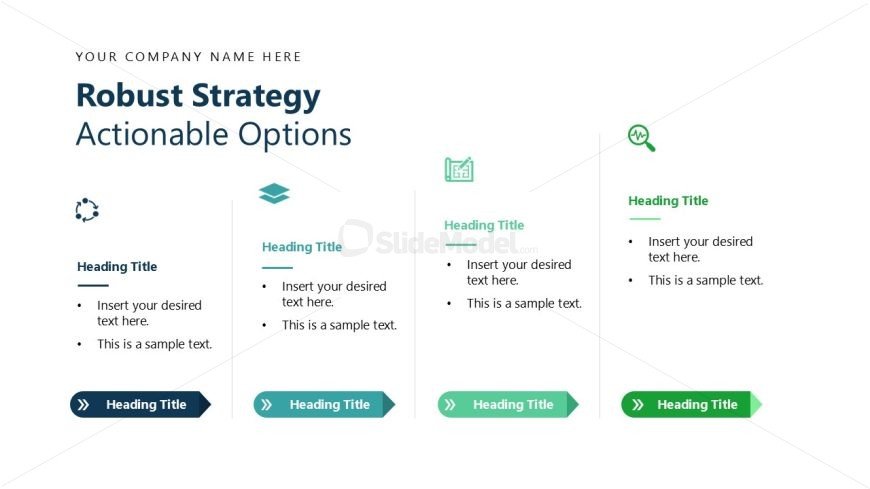
The layout features a top section with a company name placeholder, followed by a prominent title stating 'Robust Strategy' and a subtitle 'Actionable Options'. Below this, there are four distinct columns, each containing a heading title and two text placeholders aligned vertically. Each column has a unique icon positioned above the heading, with the icons representing different themes. The columns are separated by ample white space, enhancing clarity. The overall color scheme includes blue, green, and gray tones, contributing to a structured visual hierarchy.
How to Use It
This layout serves as a structured approach to present multiple strategic options or initiatives. It fits well in a presentation sequence after outlining challenges or goals, providing actionable insights. This format is suitable for business scenarios such as strategic planning sessions, project proposals, or team brainstorming meetings. It allows for clear communication of various strategies while maintaining focus on each option's details.
Text Placeholders & Capacity
Keep your copy within these limits so it fits without resizing. Node body slots allow for roughly 10-15 words each.
| Placeholder | Count | Max characters (approx.) |
|---|---|---|
| Slide title | 1 | 30 |
| Subtitle | 1 | 30 |
| Item heading | 4 | 30 |
| Item body | 8 | 50 |
| Callout | 4 | 30 |
Slide Keywords
Download unlimited PowerPoint templates, charts and graphics for your presentations with our annual plan.
DOWNLOADReturn to Scenario Planning PowerPoint Template.