Slide 12 of 13 from Scenario Planning PowerPoint Template
Next Steps & Monitoring Plan Slide – Scenario Planning Presentation Slide
Next Steps & Monitoring Plan Slide
- Text Layout
- List Blocks
- Process Slide
- 16:9
- 100% Editable
The Next Steps & Monitoring Plan slide from the Scenario Planning PowerPoint Template offers a clear layout to communicate project updates and strategic planning. Designed with editable shapes and placeholders, this slide supports concise presentation of subsequent actions and monitoring strategies, making it suitable for team meetings and business presentations focused on process clarity and timeline management.
What’s on This Slide
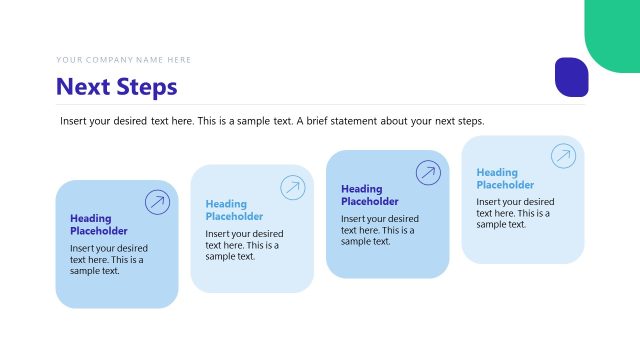
The layout features a title at the top center reading 'Next Steps & Monitoring Plan.' Below, there are four rectangular placeholders arranged in a row. The first three placeholders are white with dark blue headings, while the last one has a light green background. Each placeholder contains a heading and a text area, with the last two having arrows pointing right. The placeholders are of equal height but vary in width, creating a visual hierarchy. There are also text placeholders for company name and sample text, aligned consistently within the boxes.
How to Use It
This layout serves to outline subsequent actions and monitoring strategies in a structured format. It fits well in a presentation sequence after discussing previous findings or strategies. This slide is useful for project updates, strategic planning sessions, or team meetings where next steps need to be clearly communicated. It allows for concise information delivery, ensuring clarity on responsibilities and timelines.
Text Placeholders & Capacity
Keep your copy within these limits so it fits without resizing. Body slots can hold around 15-20 words each.
| Placeholder | Count | Max characters (approx.) |
|---|---|---|
| Slide title | 1 | 30 |
| Body paragraph | 4 | 100 |
| Item heading | 4 | 30 |
Slide Keywords
Download unlimited PowerPoint templates, charts and graphics for your presentations with our annual plan.
DOWNLOADReturn to Scenario Planning PowerPoint Template.