Slide 2 of 3 from Rectangular Process Diagram for PowerPoint
6198-01-rectangular-process-2
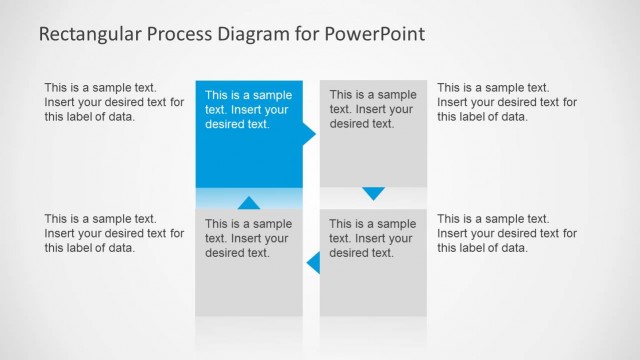
Four-Column Process Flow Diagram for PowerPoint
- Diagram
- Arrow Sequence
- Process Slide
- 16:9
- 100% Editable
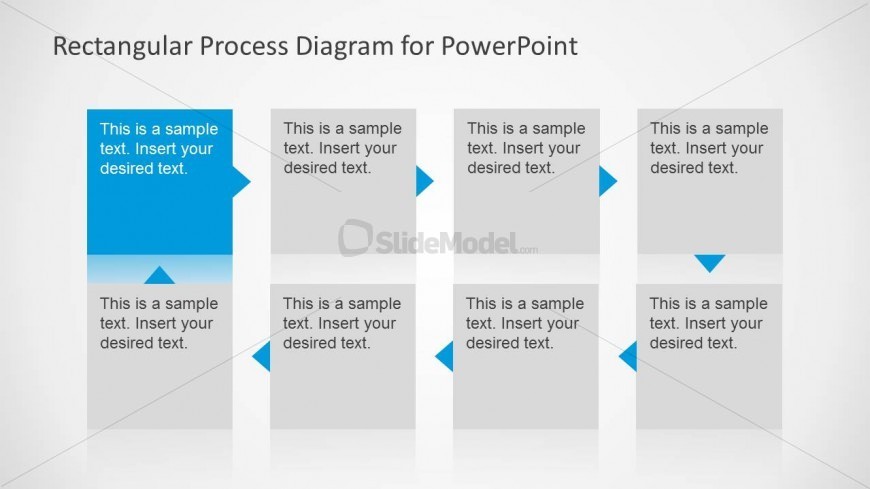
The Four-Column Process Flow slide from the Rectangular Process Diagram for PowerPoint template offers a clear, linear layout ideal for illustrating project timelines and workflow explanations. This slide uses editable shapes and vector icons arranged in a two-row format with directional arrows, making it suitable for business presentations and strategic initiatives. Its design supports effective communication of sequential steps, enhancing any corporate presentation or pitch deck template with professional slide templates.
What’s on This Slide
The layout features four rectangular sections arranged in two rows. Each section contains a text placeholder aligned centrally, with a directional arrow pointing to the right. The top row has two sections, while the bottom row mirrors this arrangement. The sections are separated by space, maintaining a clear visual hierarchy. The background is light, enhancing readability. Each placeholder is designed to accommodate text, with a consistent size across all sections. The overall composition emphasizes a linear flow from left to right.
How to Use It
This layout serves as a four-column process flow diagram, ideal for illustrating sequential steps in a process. It fits well after a problem statement slide, guiding the audience through proposed solutions. Common uses include project timelines, workflow explanations, or outlining strategic initiatives. This structure allows for clear communication of complex processes in business presentations, ensuring that each step is visually distinct yet connected.
Text Placeholders & Capacity
Keep your copy within these limits so it fits without resizing. Each text slot can hold about 8 words comfortably.
| Placeholder | Count | Max characters (approx.) |
|---|---|---|
| Item body | 4 | 40 |
Slide Keywords
Download unlimited PowerPoint templates, charts and graphics for your presentations with our annual plan.
DOWNLOADReturn to Rectangular Process Diagram for PowerPoint.