The RAID PowerPoint Template provides editable charter slides to present various risks, planned actions, issues, and decisions of your project. RAID log is a project management tool that aims at describing the essential factors for your project or program, i.e.,
- Risks: the potential concerns that can arise at any point of the project process
- Actions: the planned steps for different milestones of the project
- Issues: the actual problems that have occurred in a project
- Decisions: particular decisions made according to the specific situation
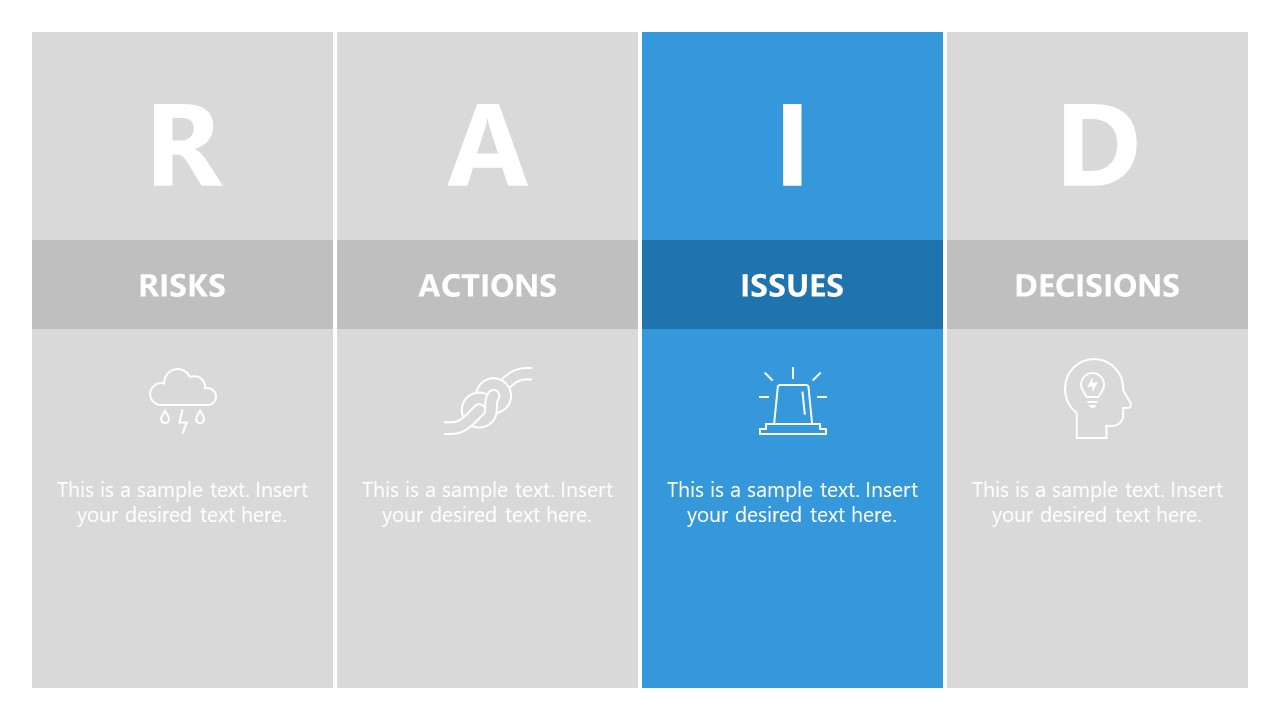
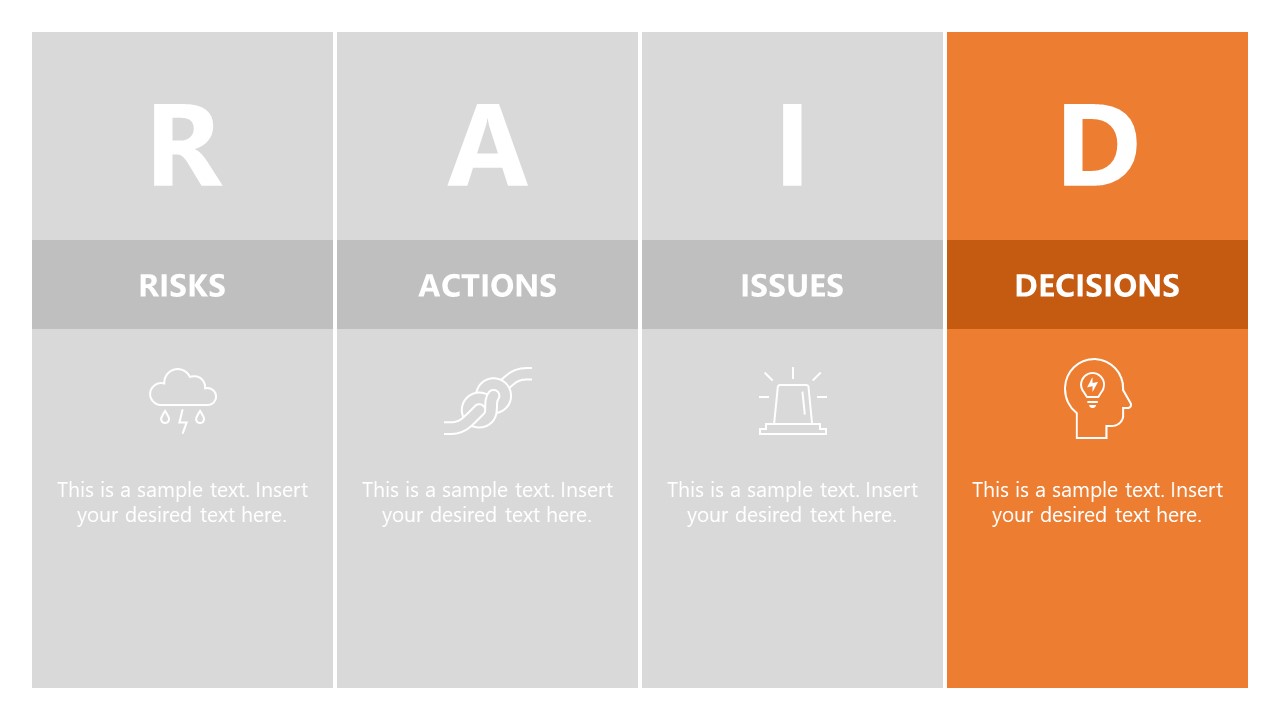
This PowerPoint template has two layouts to present these categories of the RAID model. The first layout is a slide with four vertical columns representing one of the RAID components, i.e., Risks, Actions, Issues, and Decisions. The columns show a title, a representative bold capital letter, and an infographic icon. Users can also add a relevant description in each section. Each category column is highlighted one by one on the following slides of this layout. This structure enables the presenters to emphasize and discuss each RAID component individually. The graphic icons are appropriate for the categories, but users can easily replace them.
The second layout of the RAID PowerPoint Template is a RAID log matrix. It is a 5×8 matrix slide that mentions the category, description, impact, owner, priority, and columns. Users can mention various RAID categories along the editable rows. Presenters can prepare their customized RAID log based on the project activities and list them in this comprehensive model. The priority of each entity is represented through varying colors, i.e., pink is for critical, orange for high, and yellow for moderate.
Project managers and administrators can use these RAID template slides to prepare an action plan or report various activities during the project. The template is entirely editable and easy to customize. You can download and edit this 4-column PPT PowerPoint template using all major versions of PowerPoint, Google Slides, and Keynote.
Alternatively, you can download other 4-column PPT templates for PowerPoint & Google Slides presentations.
What’s inside this template
Example presentation scenarios
- A project manager can use the four-column RAID overview to brief a steering committee on the current spread of risks, actions, issues, and decisions before discussing details.
- A PMO analyst can use the Risks, Actions, Issues, and Decisions spotlight slides to lead a working session where each category is reviewed without distracting columns.
- An operations leader can use the RAID log matrix to assign owners, record impact, and rank priorities during a cross-functional status meeting.
- A consultant can use the category columns and final log table to standardize RAID reporting across client workstreams.
Features
- 100% editable presentation template
- Compatible with Microsoft PowerPoint and Google Slides
- 16:9 aspect ratio slides
- Scalable vector shapes, icons and illustrations
- AI-Ready for Microsoft Copilot and Claude
- Instant access and download
Frequently asked questions
Q: How should a presenter structure the RAID conversation with this template?
A: Start with the full four-column RAID overview so the audience understands the framework. Then move through the spotlight slides to discuss Risks, Actions, Issues, and Decisions one at a time. Close with the RAID log matrix, where the discussion becomes operational through owner names, impact notes, and priority levels.
Q: Who is this template best suited for in a project review?
A: This template fits project managers, PMO teams, and workstream leads who need to turn scattered status notes into a structured RAID discussion. It is especially useful when a meeting must separate potential risks from active issues, confirm next actions, and record decisions that affect scope, timing, or resources.
Q: Why does the RAID column metaphor work for project communication?
A: The vertical columns make each RAID category feel distinct, which reduces confusion between risk, action, issue, and decision language. The repeated spotlight slides reinforce that separation, while the log matrix converts the same categories into accountable follow-up. This visual sequence supports both explanation and governance.




RAID PowerPoint Template
6-slide presentation template for RAID columns, project risk log reviews, actions, issues, and decisions
The RAID PowerPoint Template is a 6-slide 16:9 presentation template for project management RAID reporting. It includes four-column Risks, Actions, Issues, and Decisions layouts, spotlight slides for each RAID category, and a RAID log matrix with description, impact, owner, and priority fields for PowerPoint and Google Slides.
- Category
- Matrix Charts
- Rating

 Loading...
- Aspect ratio
- 16:9
- Item ID
- 21429-01
- Colors
 Microsoft PowerPoint
 Microsoft Copilot
 Claude for PowerPoint
Other formats supported
Subscribe today and get immediate
access to download our PowerPoint templates.