Slide 4 of 4 from Quick Recap Slide Template for PowerPoint
Quick Recap Slide Presentation Template
Quick Recap Points Slide for Presentations
- Diagram
- Other
- Summary Slide
- 16:9
- 100% Editable
The Quick Recap Points slide layout from the Quick Recap Slide Template for PowerPoint offers a clear and organized way to summarize key takeaways. Designed with three vertically aligned rounded shapes featuring icons and numbers, this slide supports concise information delivery in business presentations or pitch deck templates. Its clean design and editable shapes make it a practical choice for concluding corporate presentations or educational slide decks.
What’s on This Slide
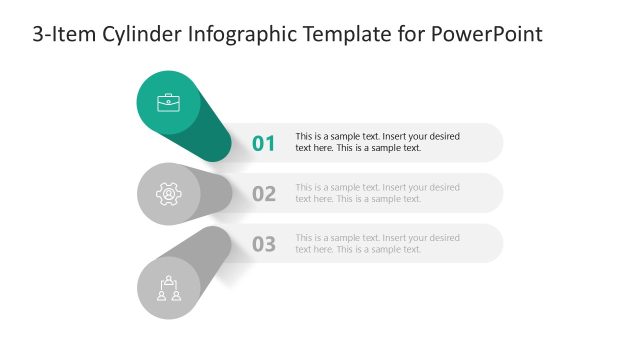
The layout features three large, rounded shapes positioned vertically, each containing an icon and a number. The first shape is orange with a briefcase icon, the second is green with a gear icon, and the third is teal with a people icon. Each shape has a corresponding text placeholder aligned to the right, allowing for recap information. The background is light, enhancing the visibility of the shapes. The overall composition is clean and organized, with a clear visual hierarchy indicated by the size and color of the shapes.
How to Use It
This layout serves as a recap slide, summarizing key points or takeaways in a presentation. It is suitable for concluding sections or summarizing discussions. The vertical arrangement allows for easy readability and quick comprehension. This format is effective in business meetings, educational settings, or any scenario where concise information delivery is essential. It fits well at the end of a presentation to reinforce main ideas.
Text Placeholders & Capacity
Keep your copy within these limits so it fits without resizing. Node body slots can hold roughly 15-20 words each.
| Placeholder | Count | Max characters (approx.) |
|---|---|---|
| Item heading | 3 | 2 |
| Item body | 3 | 80 |
Slide Keywords
Download unlimited PowerPoint templates, charts and graphics for your presentations with our annual plan.
DOWNLOADReturn to Quick Recap Slide Template for PowerPoint.