Pyramid Diagram with 3 Levels for PowerPoint– a PowerPoint template with high-end pyramid shape for business presentations. The blue foreground is relaxing and stimulates focus to the actual discussion. It is quite casual which inhibits intimidation within the audience. This can surely help the user in maintaining an engaging environment.
The PowerPoint design is perfect in creating a 3-step model for business presentations. The Lean Startup methodology, for example, has 3 main components- Vision, Strategy and Product. This system differentiates the optimization tasks from the Pivot and Persevere tasks. The user can alter the contents and features of the layout quickly. The Office template has a fully customizable design. This makes the shapes reusable and creative. The presenter can personally enhance the style by changing the color scheme, fonts, background, etc.
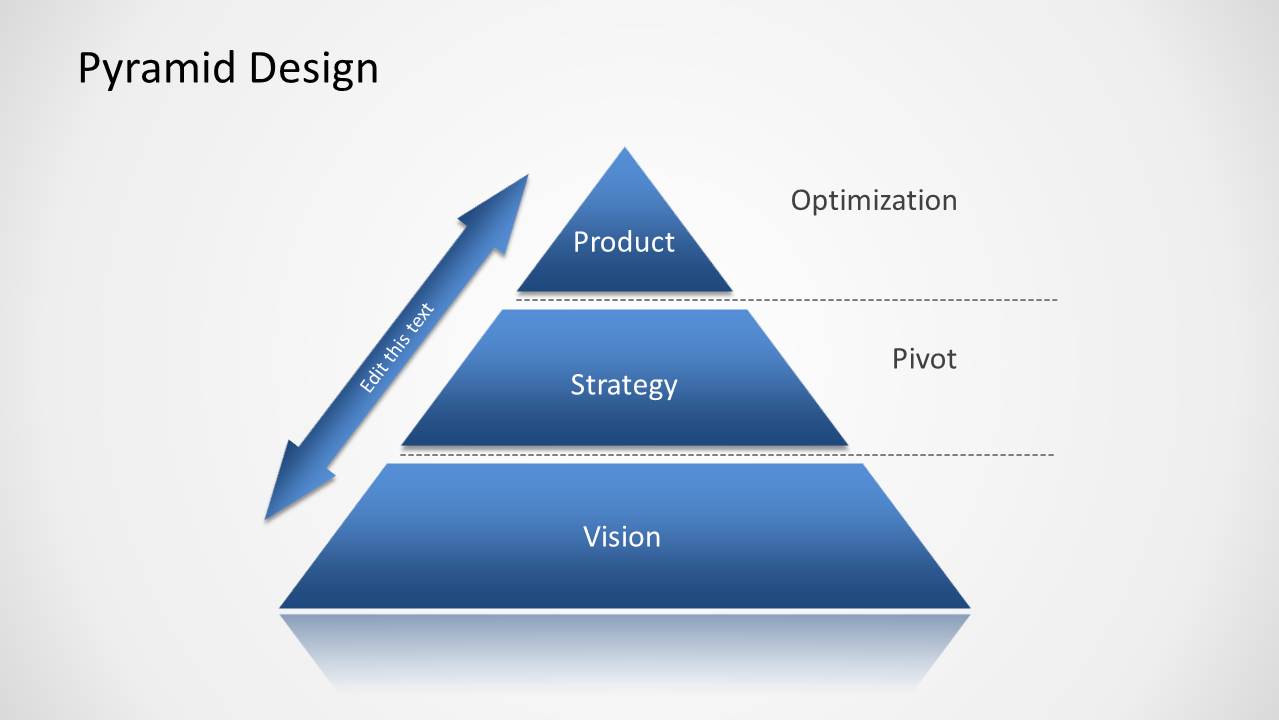
The template contains a single slide. It has default title Pyramid Design on the top left portion. The triangle shape in the center is divided into 3 parts or levels of strategy. In the example, the bottom-most level carries the word Vision. The mid-level has the term Strategy entered on it. The top-most level has the Product variable of the Lean Startup model. The product level is incorporated to the idea of Optimization as seen on its right side. Strategy is related to the Pivot phase of the method. A vertical arrow is displayed on the outer left of the pyramid. It can indicate direction on how the process flows- ascending or descending.
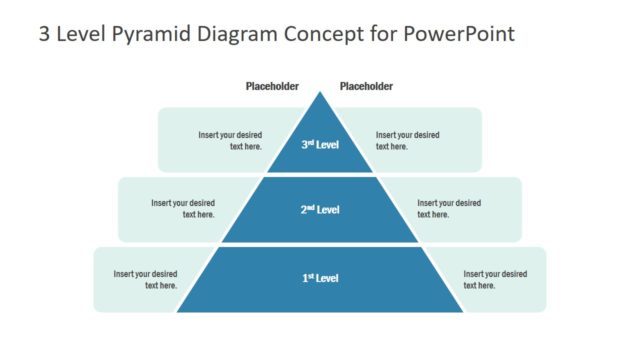
A pyramid level diagram is used to highlight on the relationship and significance of every factor in the concept. The largest portion at the bottom symbolizes the biggest component. In a food pyramid for example, this part contains the staple food group.
Impress professional audiences with Pyramid Diagram with 3 Levels for PowerPoint. Checkout 4 Levels Flat Pyramid Diagram Template for PowerPoint from the SlideModel gallery.
What’s inside this template
Example presentation scenarios
- A startup founder can use the pyramid to explain how vision supports strategy and product decisions during an investor or team update.
- A product manager can use the Vision, Strategy, and Product levels to align stakeholders around planning priorities and show where optimization belongs.
- A consultant can use the dotted guide lines and Pivot label to discuss how strategic layers connect to change decisions in a client workshop.
- A business instructor can use the three-level pyramid as a teaching aid for hierarchy, dependencies, and top-down or bottom-up strategy flow.
Features
- 100% editable presentation template
- Compatible with Microsoft PowerPoint and Google Slides
- 16:9 aspect ratio slides
- Scalable vector shapes, icons and illustrations
- AI-Ready for Microsoft Copilot and Claude
- Instant access and download
Frequently asked questions
Q: How should a presenter explain the three levels without making the pyramid feel too abstract?
A: Start at the base with Vision because it is the largest level and visually supports the rest of the structure. Move upward to Strategy, then Product, and use the side labels to explain what decisions happen at each layer. Keep each label short so the diagram stays focused on hierarchy, not paragraph text.
Q: Who is this pyramid diagram best suited for?
A: This slide is best for presenters who need to summarize a three-part business concept in one view. Startup founders, product managers, strategy teams, and consultants can use it to show how foundational direction, strategic choices, and product work relate during planning discussions, workshops, or executive updates.
Q: Why does the pyramid shape work well for strategy and lean startup topics?
A: The pyramid metaphor makes dependency visible. The widest base implies that Vision carries the most structural weight, while Strategy and Product build upward from it. The diagonal arrow adds motion, helping the presenter discuss movement between levels, such as top-down direction or bottom-up feedback.
Pyramid Diagram with 3 Levels for PowerPoint
1-slide presentation template with a 3-level pyramid diagram for strategy, vision, and product planning
Pyramid Diagram with 3 Levels for PowerPoint is a 1-slide diagram template for Microsoft PowerPoint and Google Slides. It shows a segmented blue pyramid with Vision, Strategy, and Product levels, a directional arrow, and right-side labels for Optimization and Pivot, suited for business strategy, lean startup, and hierarchy explanations.
- Category
- Diagrams
- Rating


 Loading...
- Aspect ratio
- 16:9
- Item ID
- 547-01
- Colors
 Microsoft PowerPoint
  Microsoft Copilot
  Claude for PowerPoint
 Other formats supported
Subscribe today and get immediate
access to download our PowerPoint templates.