Slide 2 of 9 from Pros & Cons Infographic PowerPoint Template
Circular Segmented Diagram – Pros & Cons Infographic Template
Pros and Cons Infographic Slide
- Diagram
- Matrix Quadrant
- Comparison Slide
- 16:9
- 100% Editable
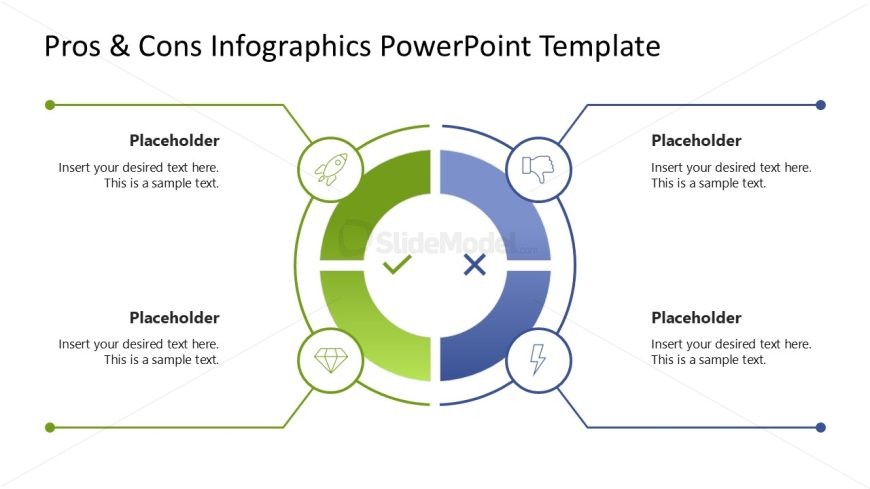
The Pros and Cons Infographic slide from the Pros & Cons Infographic PowerPoint Template offers a clear visual comparison using a quadrant diagram with editable shapes and vector icons. This slide layout supports business presentations and project assessments by highlighting advantages and disadvantages effectively within a professional slide deck.
What’s on This Slide
The layout features a central circular diagram with four quadrants, each containing a placeholder for text. The upper left and lower left quadrants are colored in green, while the upper right and lower right quadrants are blue. Each quadrant includes an icon: a rocket in the top left, a thumbs down in the top right, a diamond in the bottom left, and a lightning bolt in the bottom right. Text placeholders are centered within each quadrant, and there are connecting lines extending from the circle to the left and right sides of the slide. The background is white, providing contrast to the colored elements.
How to Use It
This layout serves as a pros and cons infographic, ideal for comparing advantages and disadvantages. It fits well in a presentation sequence after introducing a topic or problem. This structure is useful in business scenarios such as product evaluations, project assessments, or decision-making discussions, where visual clarity of pros and cons is essential for audience understanding.
Text Placeholders & Capacity
Keep your copy within these limits so it fits without resizing. Each text slot can hold about 8-10 words comfortably.
| Placeholder | Count | Max characters (approx.) |
|---|---|---|
| Item body | 4 | 50 |
Slide Keywords
Download unlimited PowerPoint templates, charts and graphics for your presentations with our annual plan.
DOWNLOADReturn to Pros & Cons Infographic PowerPoint Template.