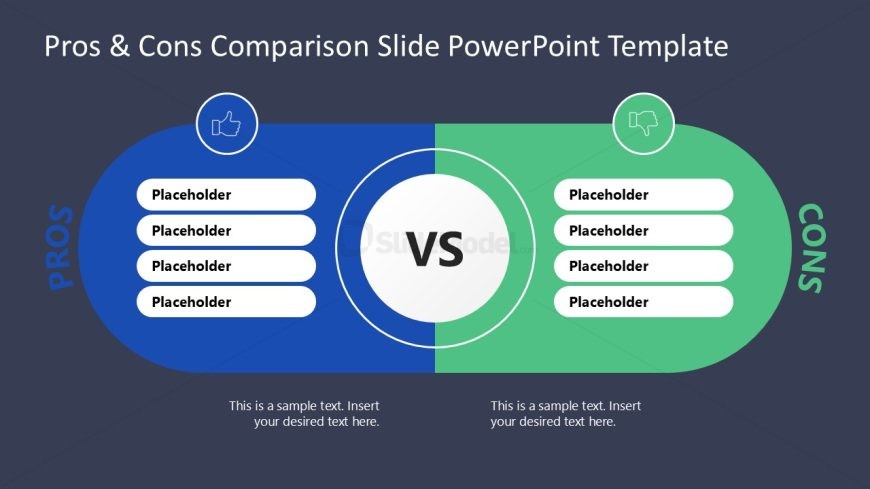
Slide 2 of 2 from Pros & Cons Comparison Slide PowerPoint Template
Pros & Cons Comparison Slide PPT Template
Pros and Cons Comparison Slide Overview
- Diagram
- Comparison Split
- Comparison Slide
- 16:9
- 100% Editable
The Pros and Cons Comparison Layout from the Pros & Cons Comparison Slide PowerPoint Template offers a clear visual structure for evaluating advantages and disadvantages side by side. This slide layout is well-suited for business presentations, strategic planning, and project assessments, featuring editable shapes and text placeholders that support concise, balanced comparisons. Its design enhances decision-making presentations by highlighting key points in a visually distinct manner, making it a practical choice within professional slide decks and pitch deck templates.
What’s on This Slide
The layout features two semi-circular sections on the left and right, labeled 'PROS' and 'CONS' in blue and green respectively. Each section contains five text placeholders aligned vertically, allowing for a list format. In the center, a circular node with the label 'VS' connects the two sections, emphasizing the comparison. The background is dark, providing contrast to the vibrant colors of the sections. Each section's text placeholders are evenly spaced, ensuring clarity and visual balance throughout the slide.
How to Use It
This layout serves as a comparison tool, ideal for evaluating advantages and disadvantages side by side. It fits well in presentations that require decision-making insights, such as product evaluations, project assessments, or strategic planning discussions. The structure allows for clear visual differentiation between pros and cons, making it effective for persuasive arguments or informative discussions. It is particularly useful in business contexts where stakeholders need to weigh options.
Text Placeholders & Capacity
Keep your copy within these limits so it fits without resizing. Each text placeholder can hold about 50 characters comfortably.
| Placeholder | Count | Max characters (approx.) |
|---|---|---|
| Item body | 10 | 50 |
| Slide title | 1 | 30 |
| Footer | 2 | 50 |
Slide Keywords
Download unlimited PowerPoint templates, charts and graphics for your presentations with our annual plan.
DOWNLOAD