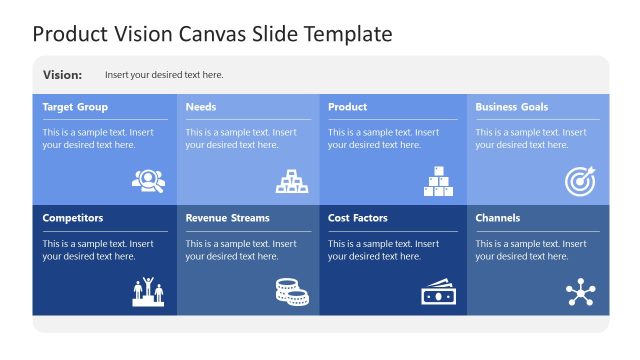
Our Product Vision Board Template for PowerPoint is a simple table diagram to represent a product vision statement. The product vision refers to the description of your product, i.e., For what purpose? For whom? And why is its production necessary at this time? This information is essential for a product launch and ties the efforts of constituent departments for a single goal. It also clarifies the requirements and necessary characteristics of the developed product before the workforce. We have designed this editable table slide for professionals to demonstrate the following components of a product vision board, i.e.
- Target group (a target market segment for which the product is being designed)
- Needs (what problems will be solved by that product or solution and the value proposition)
- Product (details of the product and its key features)
- Business Goals (definitive target to be achieved after introducing the product, e.g., revenue increase)
This vision board, also known as Roman’s Product Vision Board comprises four vertical columns representing the components mentioned above. In this template, Product Vision Board Template for PowerPoint, we have used meaningful graphical icons with each column title for a more straightforward interpretation of the data. Above these columns, a single row mentions the vision statement. Also, there is a description area in the tabular columns for presenters to write the customized details.
So, presenters can use this editable PPT template for preparing their product vision board. It can help them streamline their ideas into a practical action plan and communicate it with the team. It is beneficial to align the understanding level of stakeholders and the development team. This slide template is available in three background color variations. Users can also change the background look and font styles according to the requirement. The template can be customized using all major versions of PowerPoint, Google Slides, and Keynote.
What’s inside this template
Example presentation scenarios
- A product manager can use the four-column board in a kickoff meeting to align designers, engineers, and marketers on the target group, user needs, product concept, and business goals.
- A startup founder can present the vision statement row and product column to investors or advisors to explain why the product should exist and who it serves.
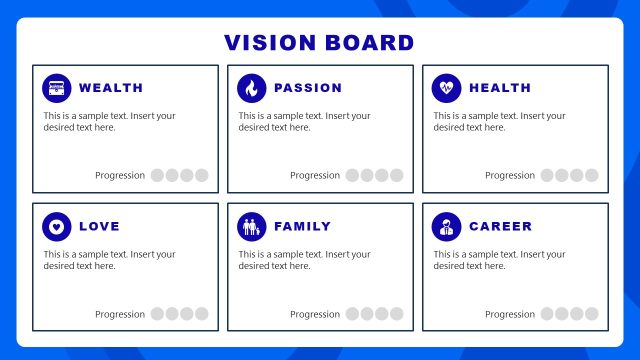
- A product owner can use the individual card layout on Slide 3 during a workshop to capture assumptions about customer segments, needs, features, and success targets.
- A marketing leader can use the target group and needs columns to brief launch teams before campaign planning begins.
Features
- 100% editable presentation template
- Compatible with Microsoft PowerPoint and Google Slides
- 16:9 aspect ratio slides
- Scalable vector shapes, icons and illustrations
- AI-Ready for Microsoft Copilot and Claude
- Instant access and download
Frequently asked questions
Q: How should a presenter explain the product vision board without turning it into a text-heavy planning document?
A: Start with the vision statement row as the governing idea, then move left to right through target group, needs, product, and business goals. Keep each column to short decision statements rather than paragraphs. The board works best when it shows what the team has agreed to, not every detail from discovery.
Q: Who is this template best suited for during product planning?
A: This template fits product managers, product owners, founders, and cross-functional launch leaders who need one shared view of product direction. It is most useful before roadmap detail, when the team must agree on the audience, customer problem, solution boundaries, and business outcome before execution starts.
Q: Why does the template use a single vision row above four planning columns?
A: The top row makes the vision statement the anchor for every decision below it. The four columns then separate audience, problem, product, and business outcome so stakeholders can test whether each part supports the same intent. The icons act as quick visual labels, reducing the effort needed to scan the board.


Product Vision Board Template for PowerPoint
3-slide presentation template for product vision boards, target groups, needs, product plans, and business goals
Product Vision Board Template for PowerPoint is a 3-slide product planning template for defining a product vision. It includes a vision statement row, four-column board, and icon-labeled sections for target group, needs, product, and business goals. It is made for product managers, founders, and launch teams in Microsoft PowerPoint and Google Slides.
- Category
- Text & Tables
- Rating

 Loading...
- Aspect ratio
- 16:9
- Item ID
- 21488-01
- Colors
 Microsoft PowerPoint
 Microsoft Copilot
 Claude for PowerPoint
Other formats supported
Subscribe today and get immediate
access to download our PowerPoint templates.