Product Launch PowerPoint Template
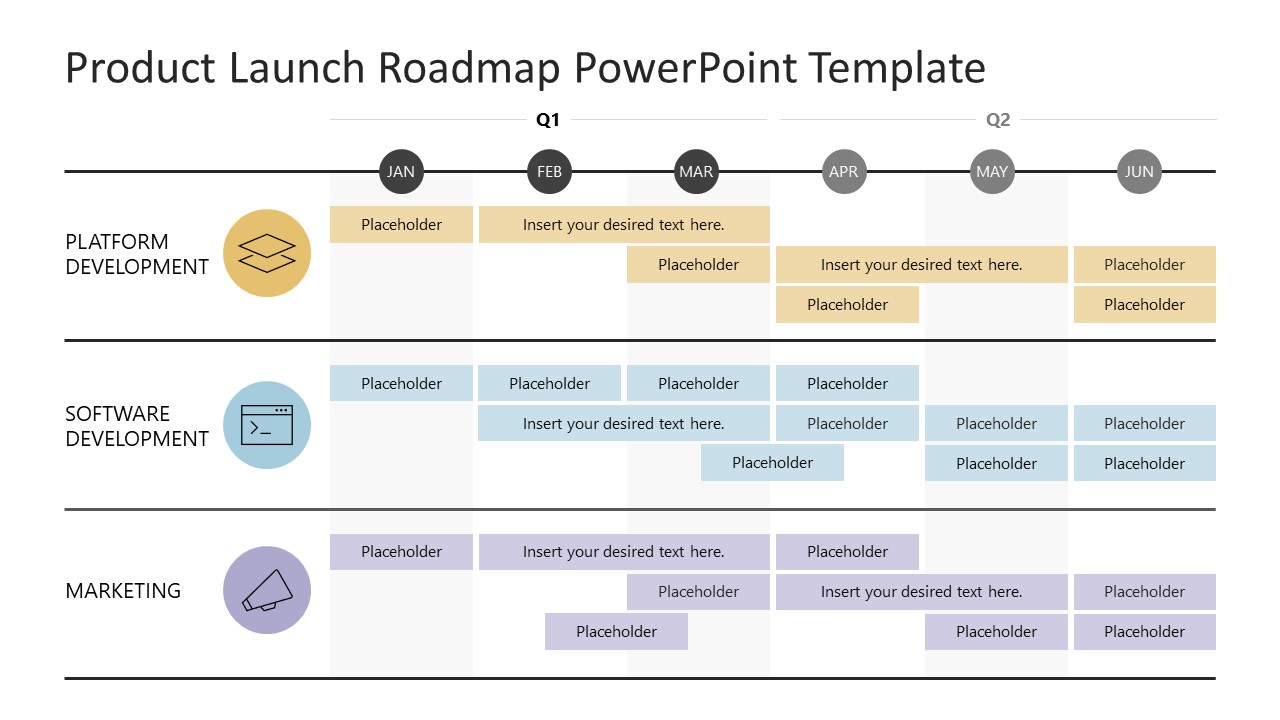
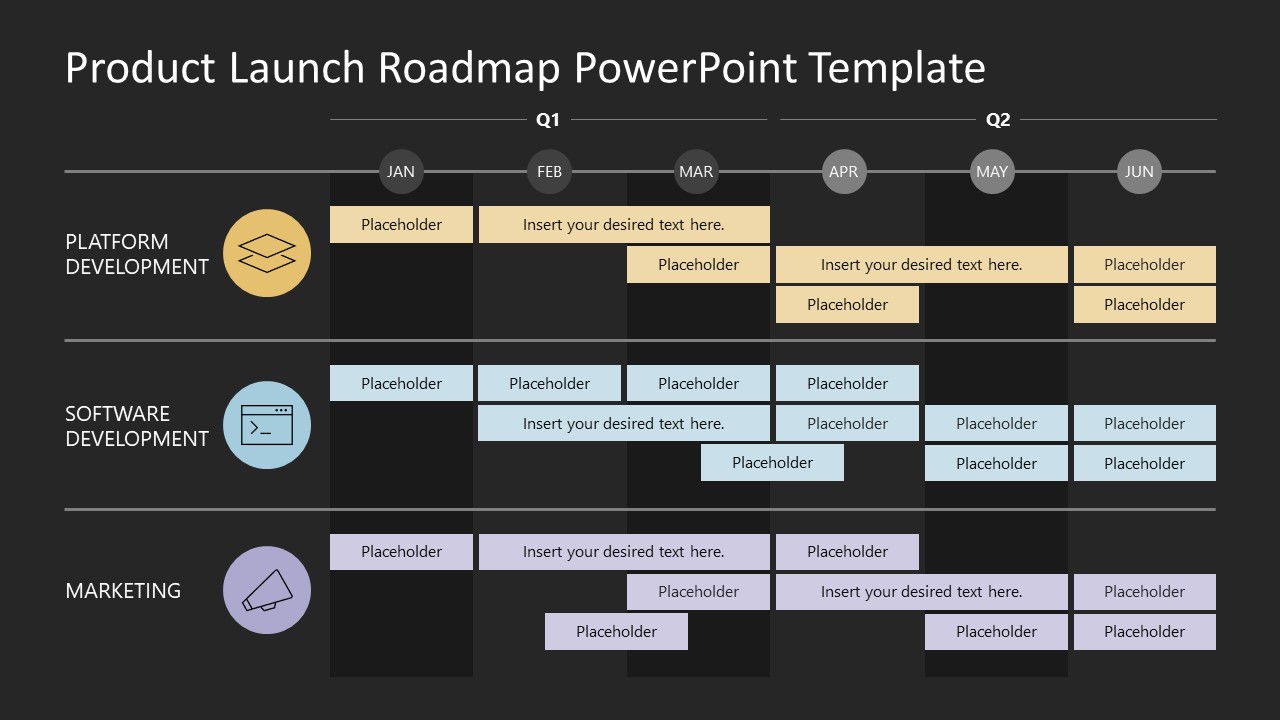
Are you launching a new product and wondering how to prepare and present the timeline to your team? Look no further, try our Product Launch PowerPoint Template to mention the complete action plan in the team meetings. This template is ideal for showcasing a six-month timeline across three stages. The product launch template features a horizontal layout to showcase the product launch timeline. It has a three-layer layout, each with six segments, three for one quarter of the year. At the top, a line covers three segments and marks them as one quarter. At the beginning of each layer, users can mention the following product launch levels accordingly:
- Platform Development
- Software Development
- Marketing
In the segments, small horizontal bars represent various activities or tasks in the specific months. Some bars are longer, covering more than one segment, indicating that two months are required for that task. All elements in a layer use a standard color scheme. The Product Launch PowerPoint Template has two slides with the same element arrangement, but the first slide uses a white background, while the second uses a dark background. Moreover, you can repurpose this product launch PPT template to illustrate the project completion timeline during client meetings. If you are implementing a digital transformation system, this template lets you outline the three phases of the execution process on a single slide. Further, users can duplicate the slides and discuss the 12-month timeline for the product launch or project completion.
Edit the PPT layout of the template to fit your needs perfectly. Users can change the fonts, colors, and icons used in the diagram template to suit their specific needs. Download the product launch template for PowerPoint and edit it today!

You must have an active subscription to download this file.
- Category
- Business PowerPoint Templates
- Rating
-

 Loading...
 - Size
- 16x9
- Item ID
- 23373-01
- Colors
Subscribe today and get immediate
access to download our PowerPoint templates.