Are you an experienced professional or a young employee looking to create an impressive interview presentation? Look no further; download our editable Personal Overview PowerPoint Template to craft an engaging introductory presentation for interviews or business team meetings. The template has four slides with creative boxes, images, and shapes to help presenters demonstrate their key personality features like skills, expertise, educational history, and achievements. A good personal profile enhances your reputation in the department and gives a professional look. It helps you communicate your experiences with the stakeholders in the business sessions or with other teammates in the project meetups. The color palette used in the template is unique and modern.
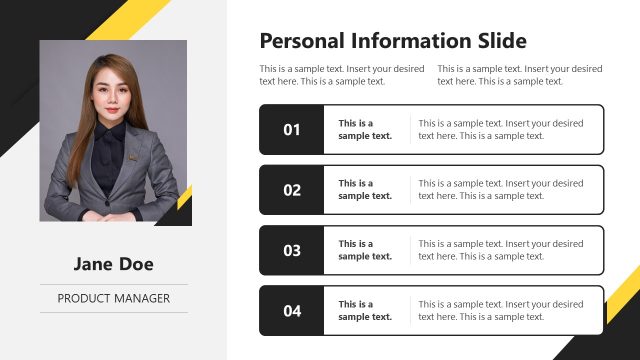
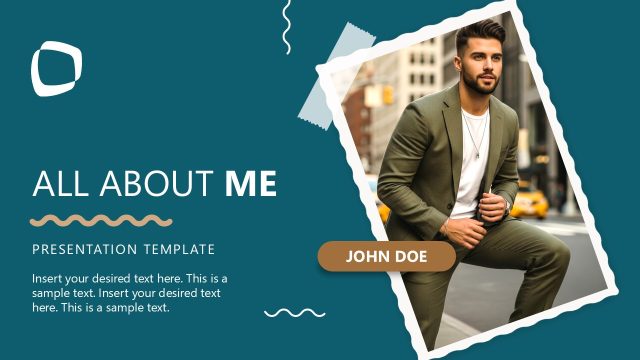
We have prepared this Personal Overview PowerPoint Template using 100% editable PowerPoint features. Users can also personalize the layout with Google Slides and Keynote. Moreover, they can add or remove sections based on their needs. Also, they can change the colors, shapes, or other attributes in the slide design to fit their theme needs. The first slide has a placeholder image and a section where the presenter’s name, designation, or key profession can be written. On the left are horizontal textboxes with title text and digits to mention the point number and details. The next slide shows an image placeholder and has sections to display the following information:
- Personal Profile
- Work Experience
- Education
- Achievements
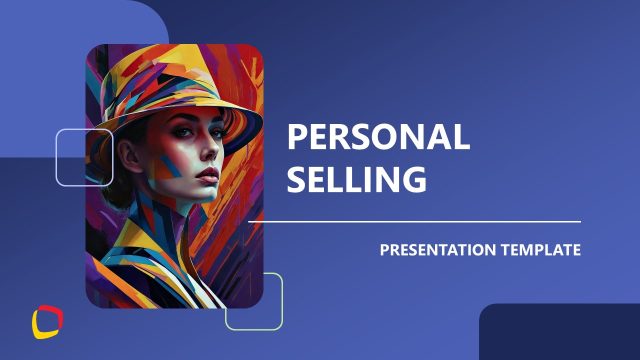
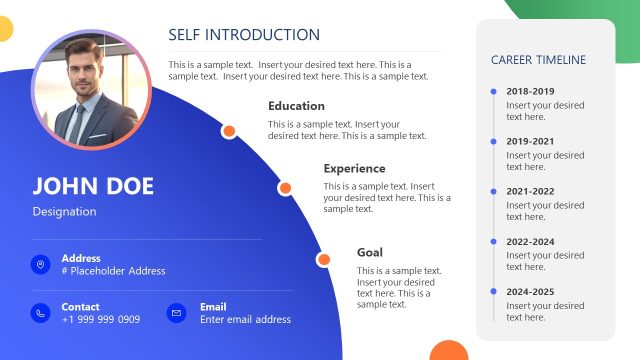
The third slide allows professionals to visualize the contact details. Below is a diagram with four boxes that presenters can use to illustrate their ideas, opinions, and thoughts. The last slide has all the personal overview elements aggregated in one slide with dotted bars to showcase the skill levels clearly. Download our template and personalize it for your executive or interview presentations! Alternatively, you can download editable resume PowerPoint templates, fully compatible with PowerPoint and Google Slides, or learn how to present your presentation skills in a resume.
What’s inside this template
Example presentation scenarios
- A job candidate can use the portrait cover and numbered key points to introduce their background before discussing role fit in an interview.
- A new employee can use the profile summary with work experience, education, and achievements to present themselves during onboarding or a team meeting.
- A consultant can use the contact panel and four icon cards to explain areas of expertise and provide follow-up details after a client introduction.
- A student or graduate can use the resume-style overview with education, experience, and dotted skill ratings to summarize qualifications for a career presentation.
Features
- 100% editable presentation template
- Compatible with Microsoft PowerPoint and Google Slides
- 16:9 aspect ratio slides
- Scalable vector shapes, icons and illustrations
- AI-Ready for Microsoft Copilot and Claude
- Instant access and download
Frequently asked questions
Q: How should a presenter structure a short personal introduction with this template?
A: Start with the cover slide to state the name, role, and four headline points. Use the profile summary slide to group the story into background, experience, education, and achievements. Then move to the contact slide only if follow-up matters, and close with the resume-style overview so the audience leaves with a clear qualification snapshot.
Q: Who is this template best suited for?
A: This template fits presenters who need to explain who they are without showing a full portfolio. It works well for interview candidates, new hires, consultants, and students because the slides combine a photo, short biography text, work and education sections, contact details, and skill indicators in a compact sequence.
Q: Why does the design use portrait blocks, numbered boxes, and skill dots?
A: The portrait blocks create immediate recognition, while the numbered boxes help the presenter rank the most important talking points. The dotted skill ratings give a fast visual read of capability without forcing the audience to scan long paragraphs. Together, the layouts turn a personal resume into a guided speaking aid.


Personal Overview PowerPoint Template
4-slide presentation template for personal profile, experience, education, and skills overview slides
The Personal Overview PowerPoint Template is a 4-slide profile deck for interviews, introductions, and team briefings. It includes a personal cover layout, four-item biography list, contact panel, and resume-style skills matrix. Built for Microsoft PowerPoint and Google Slides in 16:9 format.
- Category
- Template Backgrounds
- Rating

 Loading...
- Aspect ratio
- 16:9
- Item ID
- 22478-01
- Colors
 Microsoft PowerPoint
 Microsoft Copilot
 Claude for PowerPoint
Other formats supported
Subscribe today and get immediate
access to download our PowerPoint templates.