Present the attributes of effective feedback with our PEER Feedback Model PowerPoint Template in your corporate training sessions. The PEER feedback model is a framework that enables users to provide constructive feedback on a product or service. It has four components that contribute to positive, useful feedback, encouraging the counterparty to improve its products or services. In professional settings, employees can use this feedback model to provide feedback on their work or performance and help them refine their strategy. Additionally, in educational settings, this feedback framework enables supervisors and fellow researchers to recognize the strengths of their peers and suggest areas for improvement. We have created this best PPT template for business meetings, academic sessions, and training presentations. Trainers can share strategies for individuals to build rapport and prepare the recipient to accept feedback and improve their performance.
The PEER Feedback Model PowerPoint Template features four slides with distinct creative designs, enabling users to explain the model details in various styles.
The first slide has a vertical layout with five columns, each containing an infographic icon and text placeholders for title and description. The first column is for the PEER feedback definition. In the remaining four columns, you can display the components distinctively using our slide template.
The second slide has colorful columns with icons for the PEER factors display.
The third slide has four segments, each with two blocks. The smaller block has a large first letter of the component name, while the other block demonstrates the information.
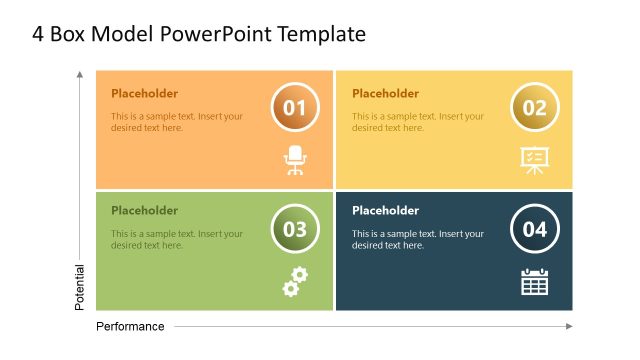
The fourth slide features a similar diagram, but it employs a creative color combination to capture the audience’s attention. You can visualize the following components using our template:
- P (Praise): In the beginning, acknowledge the positive side of the product, service, business performance, or research.
- E (Even Better if): Suggest an improvement that could make the outcome even better.
- E (Example): Use an example to explain how you could enhance the performance, supporting your comments/evaluation.
- R (Response): Give an actionable insight based on the suggestions.
Presenters can change the PowerPoint icons, shapes, or infographics used in the template to fit their needs perfectly. Download the PEER feedback model presentation template and edit it now in PowerPoint or Google Slides. Alternatively, you can download other 4-Letter column slide templates.
What’s inside this template
Example presentation scenarios
- An HR trainer can use the five-column PEER overview to introduce the framework before employees practice giving performance feedback.
- A team leader can use the four-column factor display to explain how Praise, Even better if, Example, and Response shape a project retrospective discussion.
- An educator or supervisor can use the quadrant PEER model to guide peer review conversations around research, assignments, or presentation feedback.
- A project manager can use the block matrix to separate positive observations, improvement suggestions, examples, and next actions during a review meeting.
Features
- 100% editable presentation template
- Compatible with Microsoft PowerPoint and Google Slides
- 16:9 aspect ratio slides
- Scalable vector shapes, icons and illustrations
- AI-Ready for Microsoft Copilot and Claude
- Instant access and download
Frequently asked questions
Q: How should a presenter explain the PEER framework without making the feedback feel scripted?
A: Start with the five-column overview to define the model, then move to one component at a time. Keep each column tied to a real workplace example: what was done well, what could improve, the evidence behind the suggestion, and the response expected. This turns the diagram into a conversation guide rather than a memorized formula.
Q: Who is this template best suited for in a business or learning environment?
A: This template fits presenters who need to teach feedback behavior, not report performance scores. HR trainers, managers, coaches, educators, and project leads can use the column and quadrant layouts to show how feedback should be balanced, specific, evidence-based, and actionable during reviews, retrospectives, workshops, or peer learning sessions.
Q: Why do the column and quadrant layouts work well for feedback training?
A: The repeated P, E, E, and R structure gives the audience a simple mental model. Columns help compare the four parts side by side, while the quadrant layout makes the process feel balanced rather than hierarchical. The large letters and color blocks act as memory cues during discussion and practice.


PEER Feedback Model PowerPoint Template
4-slide PEER feedback presentation template with column diagrams and quadrant model layouts
The PEER Feedback Model PowerPoint Template is a 4-slide deck for explaining Praise, Even better if, Example, and Response. It includes a five-column overview, four-column factor display, block-based PEER matrix, and quadrant model for training, reviews, and coaching sessions in Microsoft PowerPoint and Google Slides.
- Category
- Models
- Rating

 Loading...
- Aspect ratio
- 16:9
- Item ID
- 23075-01
 Microsoft PowerPoint
 Microsoft Copilot
 Claude for PowerPoint
Other formats supported
Subscribe today and get immediate
access to download our PowerPoint templates.