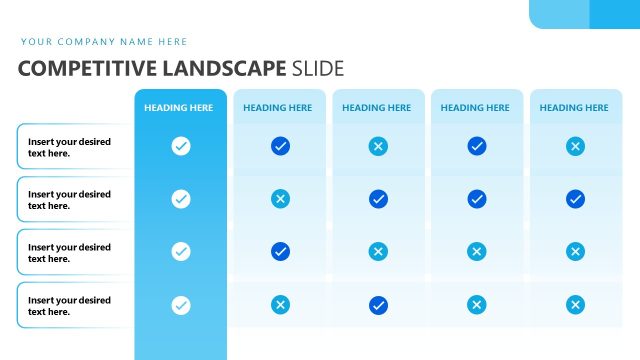
Slide 5 of 10 from New Product Launch PowerPoint Template
Competitive Landscape Slide – New Product Launch PPT Template
Competitive Landscape Analysis Slide
- Diagram
- Comparison Split
- Competitive Landscape Slide
- 16:9
- 100% Editable
The Competitive Landscape Comparison slide from the New Product Launch PowerPoint Template offers a clear, side-by-side analysis of market positioning and competitor metrics. Designed for business presentations, this slide layout uses editable shapes and vector icons to visually compare product features and competitive strengths, making it a practical choice for pitch decks and corporate presentations focused on strategic planning.
What’s on This Slide
The slide features a title at the top center stating 'Competitive Landscape.' Below, two columns are present, each containing a series of horizontal bars representing competitive metrics. The left column includes a pink icon and text placeholders aligned to the left, with bars indicating percentages for each competitor. The right column mirrors this structure with a dark theme, featuring a contrasting icon and additional text placeholders. Each bar is visually distinct, and the overall layout is organized for easy comparison. The background is a light gray, enhancing the visibility of the elements.
How to Use It
This layout serves as a comparative analysis tool, ideal for showcasing competitive metrics side by side. It fits well in a presentation sequence following problem identification and before strategic planning. This slide is useful for businesses evaluating market position, comparing product features, or analyzing competitors' strengths and weaknesses. It can be employed in discussions about market strategy, product positioning, or performance metrics.
Text Placeholders & Capacity
Keep your copy within these limits so it fits without resizing. Node labels can accommodate roughly 4-5 words each.
| Placeholder | Count | Max characters (approx.) |
|---|---|---|
| Slide title | 1 | 30 |
| Item heading | 4 | 20 |
| Item body | 4 | 50 |
| Body paragraph | 2 | 100 |
Slide Keywords
Download unlimited PowerPoint templates, charts and graphics for your presentations with our annual plan.
DOWNLOADReturn to New Product Launch PowerPoint Template.