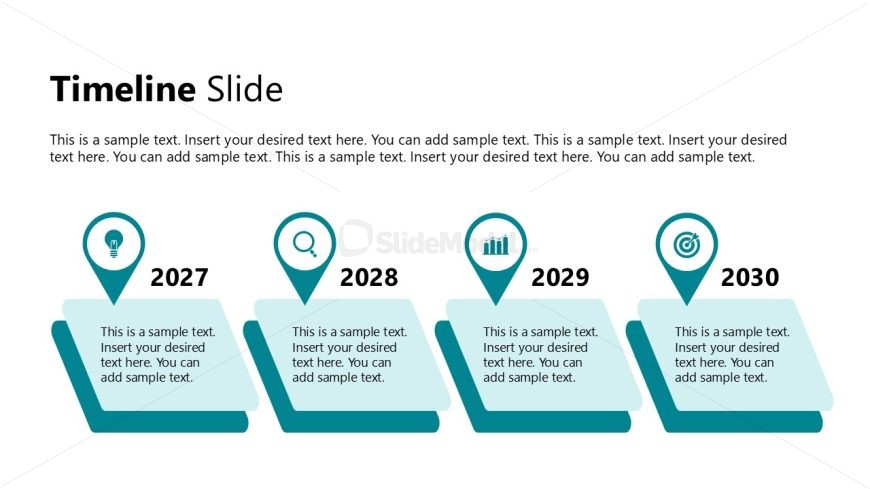
Slide 9 of 12 from Modern Executive PowerPoint Template
Editable Timeline Slide – Modern Executive Template Layout
Timeline Slide for Project Planning
- Diagram
- Timeline Horizontal
- Timeline Slide
- 16:9
- 100% Editable
The Timeline Slide from the Modern Executive PowerPoint Template offers a horizontal layout ideal for illustrating project timelines and strategic planning. Featuring editable shapes and vector icons, this slide template supports clear visualization of milestones and event scheduling within a business presentation or pitch deck template.
What’s on This Slide
The layout features a horizontal timeline with four distinct segments. Each segment contains a year label, positioned centrally at the bottom, with an associated icon above. The icons include a light bulb, magnifying glass, bar chart, and target symbol. The segments are visually separated by angled shapes, creating a layered effect. Text placeholders are present in each segment for descriptions, aligned left within the shapes. The overall color scheme utilizes teal and white, with a clean, modern aesthetic. The title is positioned at the top left, emphasizing the timeline theme.
How to Use It
This layout serves as a chronological timeline, ideal for illustrating project milestones or key events over a series of years. It fits well in presentations focused on project planning or strategic roadmaps. The structure allows for clear communication of progress and future goals. It is suitable for business contexts where timelines are essential, such as product launches or strategic initiatives. This slide can be used to visualize a sequence of actions or developments over time, making it effective for stakeholder updates.
Text Placeholders & Capacity
Keep your copy within these limits so it fits without resizing. Node body slots can hold about 20 words each.
| Placeholder | Count | Max characters (approx.) |
|---|---|---|
| Slide title | 1 | 30 |
| Item heading | 4 | 10 |
| Item body | 4 | 100 |
Slide Keywords
Download unlimited PowerPoint templates, charts and graphics for your presentations with our annual plan.
DOWNLOADReturn to Modern Executive PowerPoint Template.