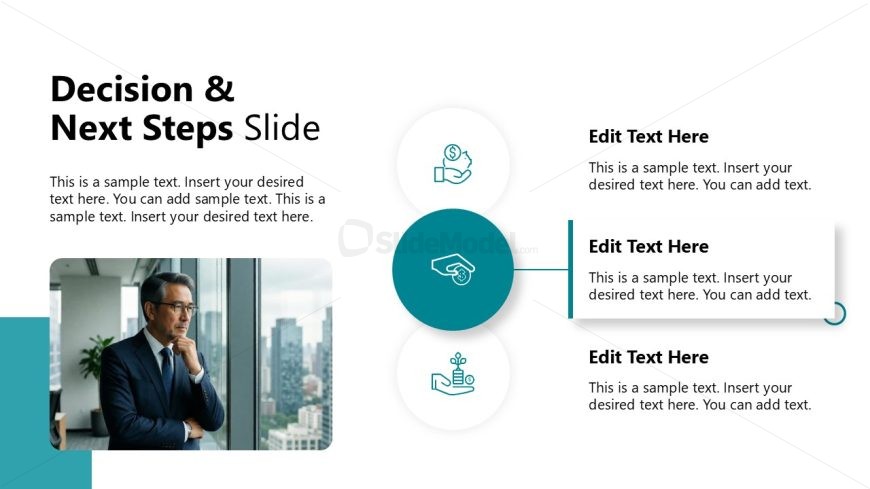
Slide 12 of 12 from Modern Executive PowerPoint Template
Decision & Next Steps – Modern Executive PPT Slide Template
Decision & Next Steps Slide for Presentations
- Diagram
- Other
- Strategy Slide
- 16:9
- 100% Editable
The Decision & Next Steps Slide from the Modern Executive PowerPoint Template offers a clear diagram layout ideal for project wrap-ups and strategic planning. This slide template includes editable shapes and vector icons arranged in a circular diagram to effectively communicate key decisions and future actions. It is designed to support business presentations and pitch deck templates by providing a structured format that guides team decision-making and outlines actionable next steps.
What’s on This Slide
The layout features a large title at the top left, stating 'Decision & Next Steps Slide.' Below the title, there are multiple text placeholders aligned vertically on the right side. The main visual element is a circular diagram in the center, containing three smaller circles, each with an icon and a text placeholder beneath. An image placeholder is located on the left side, showing a person looking out a window. The overall composition is balanced, with a light background and a teal accent color for the diagram and text boxes.
How to Use It
This layout serves to summarize decisions and outline next steps in a business context. It fits well at the end of a presentation to transition from analysis to action. Suitable scenarios include project wrap-ups, strategic planning sessions, or team meetings where decisions are made. The structure allows for clear communication of key points and actionable items, ensuring the audience understands the path forward.
Text Placeholders & Capacity
Keep your copy within these limits so it fits without resizing. Body slots can hold about 15-20 words each.
| Placeholder | Count | Max characters (approx.) |
|---|---|---|
| Slide title | 1 | 30 |
| Body paragraph | 4 | 100 |
| Item heading | 3 | 30 |
| Item body | 3 | 100 |
Slide Keywords
Download unlimited PowerPoint templates, charts and graphics for your presentations with our annual plan.
DOWNLOADReturn to Modern Executive PowerPoint Template.