The Know Think Feel Do PowerPoint Template is a graphical presentation of business strategy and communication model. This is a generic PowerPoint template which can assists the professionals of every industry in explaining their communication processes. Although, the businesses face many challenges where the process of interaction becomes a barrier. Therefore, companies invest on fundamental principle of Know, Think, Feel and Do. The Know Think Feel Do PowerPoint is a template to discuss the marketing concept of target audience. With the advancement of technology and number of social media platforms, the total experience of customers is hard to achieve. Therefore, the marketers require communication methodologies to target customers. For example, the branding content, offers, products information should be available to present the desirable customer experience to all platforms. Below is the brief description of Know Think Feel Do model:
Know: Finding the reasons behind new or updating communication processes
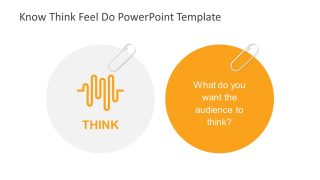
Think: Gather information and conclude the needs. Get the insight on what is critical for development and improvement.
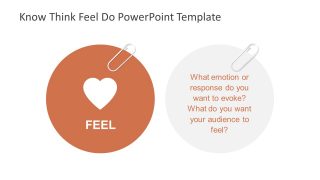
Feel: Understand what may help get the attention of the audience.
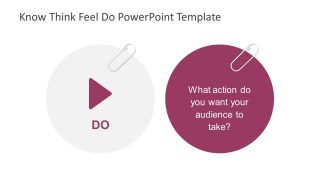
Do: Lastly, create the business presence across multiple channels for total experience.
Putting all this together; the try out new things, first decide what is known, take the insights. Next, recognize how to feel about and execute the plan which will produce results.
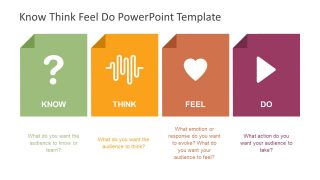
The Know Think Feel Do PowerPoint Template is an infographic set of slides providing two design versions of presentation. These are the circular and rectangular page shop PowerPoint icons to present each term of the model template. However, there are four slides to focus on each of four terms individually. The infographic presenting Know has question mark, Think with frequency graph, Feel-heart symbol and Do with triangular play symbol. Further, the individual slides have a unique two contents layout design of infographics and text placeholders.
What’s inside this template
Example presentation scenarios
- A marketing manager can use the circular overview to brief a campaign team on the audience knowledge, belief, emotion, and action targets before developing creative assets.
- A customer experience leader can use the four focus slides to explain how a service interaction should inform customers, shape perception, create confidence, and prompt the next step.
- A brand strategist can use the rectangular card overview to compare messaging goals across Know, Think, Feel, and Do during a workshop with stakeholders.
- A consultant can use the individual Know, Think, Feel, and Do slides to guide a client discussion about communication gaps and desired audience behavior.
Features
- 100% editable presentation template
- Compatible with Microsoft PowerPoint and Google Slides
- 16:9 aspect ratio slides
- Scalable vector shapes, icons and illustrations
- AI-Ready for Microsoft Copilot and Claude
- Instant access and download
Frequently asked questions
Q: How should a presenter explain the Know Think Feel Do model with this template?
A: Start with the four-icon overview to define the model in one view, then move through the Know, Think, Feel, and Do focus slides as a sequence of audience questions. Keep each answer specific: one knowledge objective, one belief shift, one emotional response, and one desired action. End with the card overview to recap the complete message strategy.
Q: Who is this template best suited for in a business presentation?
A: This template fits marketers, communications leads, customer experience managers, and consultants who need to align teams around audience outcomes before building content, campaigns, or service messages. It is best when the goal is not to report results, but to clarify intent: what the audience should learn, believe, feel, and do.
Q: Why does the design use icons, circles, and cards for the four stages?
A: The large icons work as memory cues: a question mark for knowledge, a waveform for thinking, a heart for emotion, and a play symbol for action. The circular focus slides slow the discussion down to one audience question at a time, while the final card layout makes the four decisions easy to compare.


Know Think Feel Do PowerPoint Template
6-slide presentation template for Know Think Feel Do audience strategy with icon circles and cards
This 6-slide Know Think Feel Do PowerPoint Template presents an audience communication model for marketers, customer experience teams, and business strategists. It includes a circular four-step overview, individual Know, Think, Feel, and Do focus slides, and a rectangular card overview for Microsoft PowerPoint and Google Slides.
- Category
- Models
- Rating


 Loading...
- Aspect ratio
- 16:9, 4:3
- Item ID
- 7741-01
- Colors
 Microsoft PowerPoint
 Microsoft Copilot
 Claude for PowerPoint
Other formats supported
Subscribe today and get immediate
access to download our PowerPoint templates.