Slide 14 of 18 from Investors Relations Overview PowerPoint Template
85349-01-investors-relations-overview-powerpoint-template-16×9-14
Expert Team Overview Slide
- Media Layout
- Other
- Team Slide
- 16:9
- 100% Editable
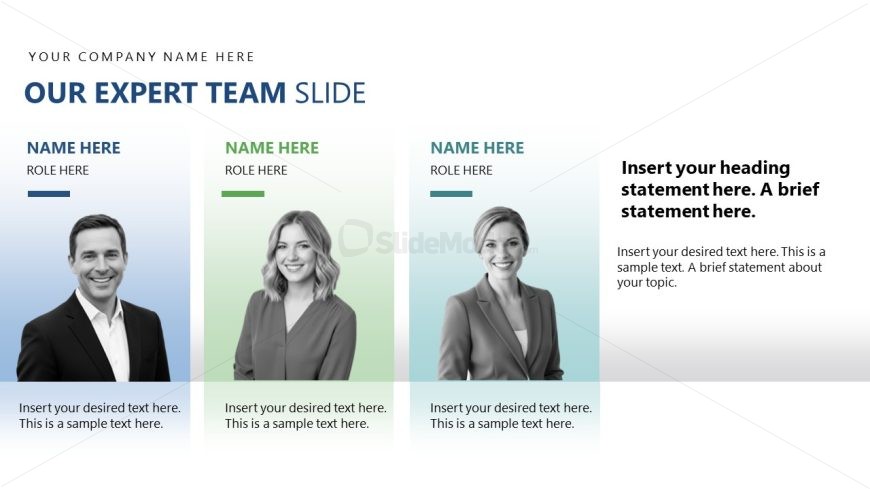
The Expert Team Overview slide from the Investors Relations Overview PowerPoint Template offers a structured layout for team introductions, featuring editable shapes and photo placeholders. This slide is designed to highlight key personnel effectively within a corporate presentation or pitch deck template, making it suitable for stakeholder presentations and business presentations that require clear expert showcases.
What’s on This Slide
The layout features three vertical sections, each containing a photo placeholder on the left, followed by text placeholders for names and roles. The first section has a blue background, the second is green, and the third is light blue, creating a gradient effect. The top of the slide includes a large title placeholder aligned left, stating 'OUR EXPERT TEAM SLIDE.' Below the title, there are three equal-sized sections for team members, each with a name placeholder and a role placeholder beneath. A prominent text area on the right is designated for a heading statement and additional descriptive text.
How to Use It
This layout serves as a team introduction, ideal for showcasing key personnel in a business presentation. It fits well after an overview or introduction slide, providing context about the team behind the project or company. This structure is useful in investor relations, where highlighting expertise can build credibility. It can also be adapted for internal presentations to introduce team members to stakeholders or new employees.
Text Placeholders & Capacity
Keep your copy within these limits so it fits without resizing. Body slots can hold roughly 25-30 words each.
| Placeholder | Count | Max characters (approx.) |
|---|---|---|
| Slide title | 1 | 30 |
| Item heading | 3 | 20 |
| Item body | 3 | 100 |
| Body paragraph | 1 | 250 |
Slide Keywords
Download unlimited PowerPoint templates, charts and graphics for your presentations with our annual plan.
DOWNLOAD


