Slide 6 of 13 from Internal Workshop PowerPoint Template
Understanding the Challenge Slide – Internal Workshop Presentation Template
Understanding the Challenge Slide
- Text Layout
- List Blocks
- Context Slide
- 16:9
- 100% Editable
The "Understanding the Challenge" slide from the Internal Workshop PowerPoint Template offers a clear, structured layout ideal for business presentations focused on team assessments and project evaluations. This slide template features editable shapes and text blocks to outline current situations, key challenges, and necessary changes, supporting effective workshop discussions. It integrates seamlessly into a corporate presentation or pitch deck template, enhancing clarity and participant engagement with well-organized content sections.
What’s on This Slide
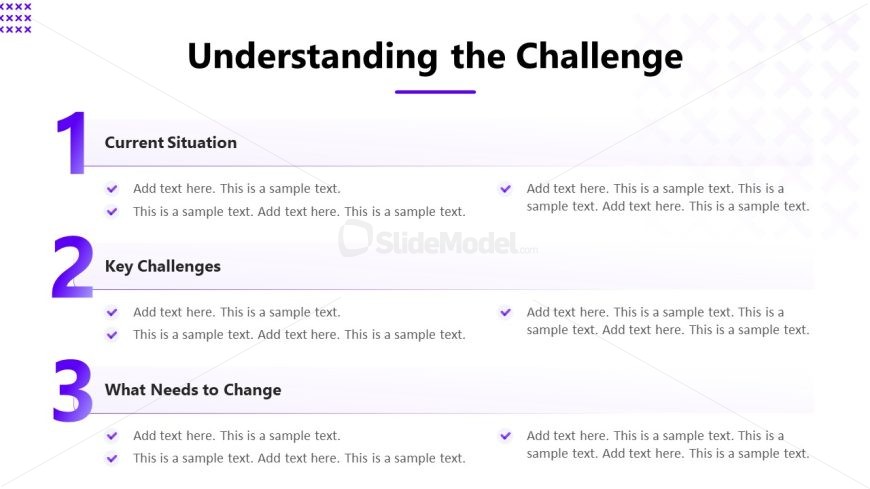
The slide features a title at the top center labeled 'Understanding the Challenge.' Below the title, there are three numbered sections aligned vertically. Each section has a bold heading on the left and a text placeholder on the right. The headings are 'Current Situation,' 'Key Challenges,' and 'What Needs to Change.' Each section contains bullet points represented by checkmarks, indicating areas for text input. The layout is structured with a clear visual hierarchy, emphasizing the headings and providing space for detailed descriptions. The background is light with subtle patterns.
How to Use It
This layout serves as a structured overview for discussing challenges in a workshop setting. It fits well after introductory slides, allowing for a deep dive into specific issues. This format is useful for identifying current situations, challenges, and necessary changes in various business contexts, such as team assessments or project evaluations. It encourages participant engagement by providing clear sections for discussion points.
Text Placeholders & Capacity
Keep your copy within these limits so it fits without resizing. Node body slots can hold roughly 25-30 words each.
| Placeholder | Count | Max characters (approx.) |
|---|---|---|
| Slide title | 1 | 30 |
| Item heading | 3 | 25 |
| Item body | 3 | 150 |
Slide Keywords
Download unlimited PowerPoint templates, charts and graphics for your presentations with our annual plan.
DOWNLOADReturn to Internal Workshop PowerPoint Template.