Slide 6 of 16 from Intellectual Property Protection Strategy PowerPoint Template
Patent Strategy Slide with Arrows – Intellectual Property Protection Strategy Deck
Patent Strategy Slide for Intellectual Property Presentation
- Text Layout
- List Blocks
- Strategy Slide
- 16:9
- 100% Editable
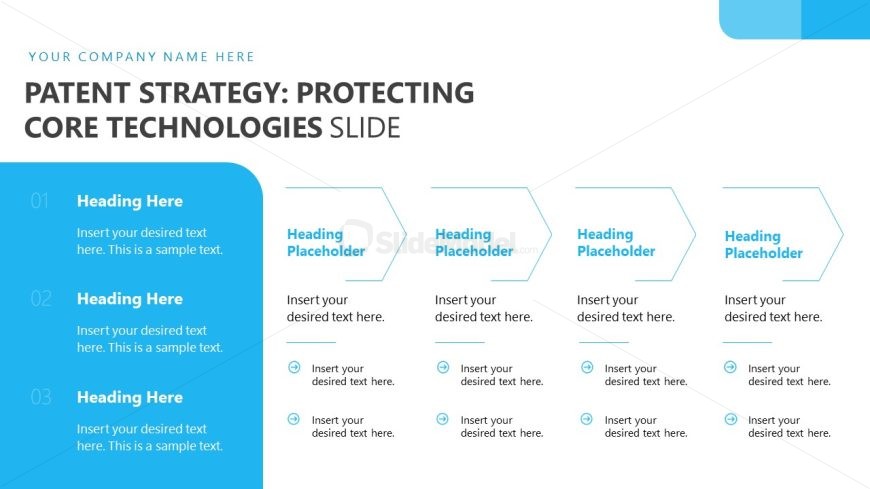
The Patent Strategy: Protecting Core Technologies slide from the Intellectual Property Protection Strategy PowerPoint Template offers a structured format ideal for business presentations focused on strategic planning. This slide layout uses editable shapes and numbered sections to clearly outline patent strategies and core technology protection, enhancing clarity in corporate presentations and pitch deck templates.
What’s on This Slide
The layout features a left-aligned column with three numbered sections, each containing a heading placeholder and a text placeholder for detailed content. To the right, four hexagonal shapes are arranged horizontally, each with a heading placeholder and two text placeholders below. The visual hierarchy emphasizes the left column with larger numbers and headings, while the hexagons provide a structured format for additional information. Background colors include a light blue section on the left and a white background overall, creating a clear separation between elements. Text placeholders are aligned consistently, allowing for easy readability.
How to Use It
This layout serves as a structured approach to present a patent strategy, ideal for detailing core technologies and their protection. It fits well after introductory slides, providing a clear framework for discussing multiple aspects of a strategy. This format is suitable for business presentations where outlining strategic initiatives is necessary, such as in legal, management, or innovation contexts. The layout allows for flexibility in content while maintaining a cohesive visual structure throughout the presentation.
Text Placeholders & Capacity
Keep your copy within these limits so it fits without resizing. Body slots can hold roughly 15-20 words each.
| Placeholder | Count | Max characters (approx.) |
|---|---|---|
| Slide title | 1 | 40 |
| Item heading | 4 | 30 |
| Item body | 8 | 100 |
Slide Keywords
Download unlimited PowerPoint templates, charts and graphics for your presentations with our annual plan.
DOWNLOADReturn to Intellectual Property Protection Strategy PowerPoint Template.