Slide 1 of 17 from Infotainment PowerPoint Template
Infotainment Presentation PPT Template – Cover PPT Slide
Infotainment Presentation Template Overview
- Text Layout
- Single Statement
- Context Slide
- 16:9
- 100% Editable
The Infotainment Presentation Title slide from the Infotainment PowerPoint Template offers a structured introduction ideal for project kick-offs and product launches. This slide layout features editable shapes and placeholders for logos, dates, and taglines, making it a practical choice for corporate presentations and business presentation slide decks that require clear visual hierarchy and audience engagement.
What’s on This Slide
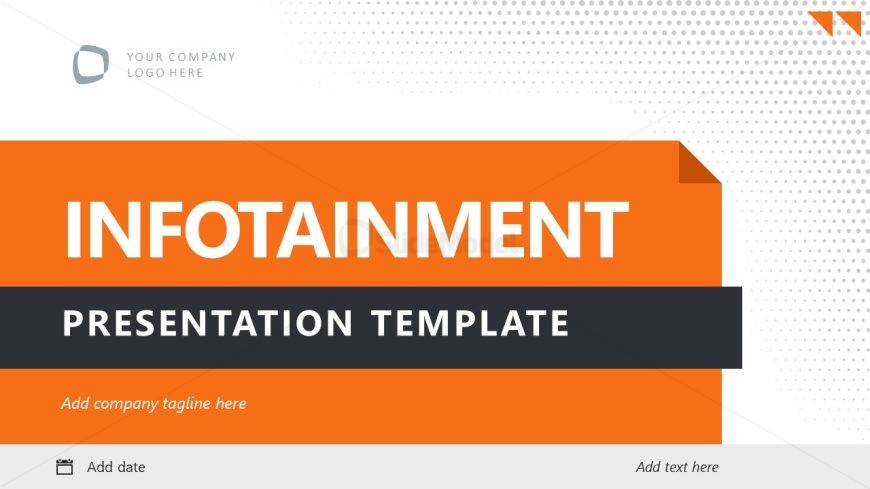
The slide features a bold title at the center reading 'INFOTAINMENT' in large white font against an orange background. Below it, 'PRESENTATION TEMPLATE' appears in smaller black font. The top left corner contains a placeholder for a company logo, while the top right has a triangular graphic element. There are text placeholders at the bottom for a date and tagline, aligned left and center respectively. The overall layout is structured, with a clear visual hierarchy emphasizing the title and subtitle.
How to Use It
This layout serves as a title slide, suitable for introducing a presentation. It effectively captures audience attention at the beginning of a presentation sequence. Use it to set the stage for topics related to infotainment or information gathering. This slide is ideal for business scenarios such as project kick-offs, product launches, or informational sessions where engagement is crucial.
Text Placeholders & Capacity
Keep your copy within these limits so it fits without resizing. Title slots can hold around 5-6 words each.
| Placeholder | Count | Max characters (approx.) |
|---|---|---|
| Slide title | 1 | 30 |
| Subtitle | 1 | 40 |
| Footer | 2 | 25 |
Slide Keywords
Download unlimited PowerPoint templates, charts and graphics for your presentations with our annual plan.
DOWNLOADReturn to Infotainment PowerPoint Template.