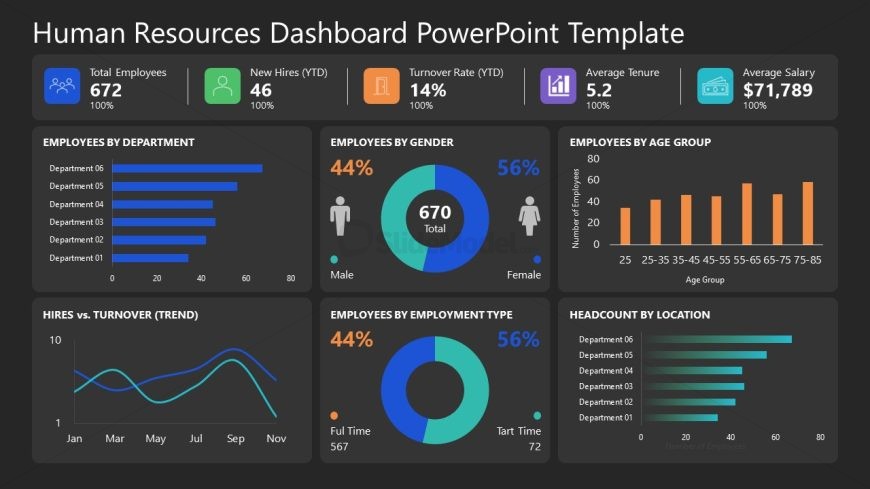
Slide 2 of 2 from Human Resources Dashboard PowerPoint Template
Editable Human Resources Dashboard Template Slide
Human Resources Dashboard Overview Slide
- Chart
- Dashboard Composite
- Strategic Analysis Slide
- 16:9
- 100% Editable
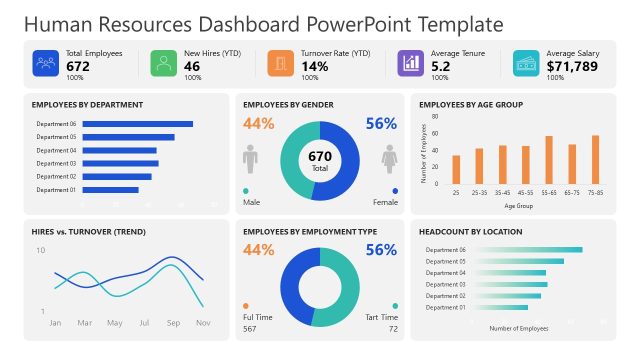
The Human Resources Data Overview slide from the Human Resources Dashboard PowerPoint Template provides a detailed dashboard layout ideal for HR data presentation and strategic workforce planning. This slide uses editable shapes and vector icons to visualize key metrics such as employee counts, turnover rates, and hiring trends, making it suitable for quarterly review meetings and corporate presentations focused on workforce analytics.
What’s on This Slide
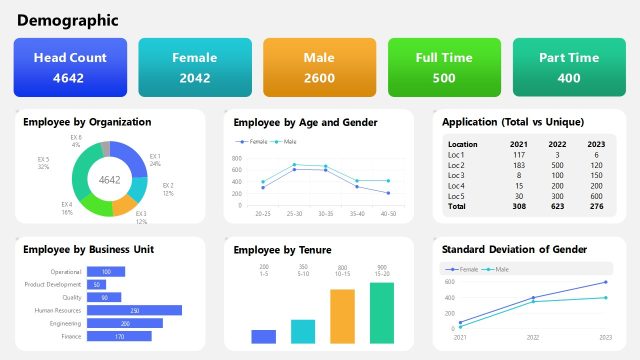
The slide features a dark background with multiple data visualizations. At the top, there are four key metrics displayed in rectangular boxes: total employees, new hires, turnover rate, and average salary, aligned horizontally. Below, a bar chart shows employees by department, with horizontal bars of varying lengths. A circular diagram illustrates gender distribution, while another circular chart depicts employment type. A line graph presents hires versus turnover trends, and a bar chart indicates employee distribution by age group. Text placeholders exist for titles and labels.
How to Use It
This layout serves as a comprehensive overview of human resources data, suitable for presenting key metrics and trends in a dashboard format. It fits well in a presentation sequence after an introductory slide, providing a snapshot of HR statistics. This structure is ideal for HR meetings, quarterly reviews, or strategic planning sessions where data-driven insights are necessary. It can be used to summarize workforce demographics, hiring trends, and departmental statistics effectively.
Text Placeholders & Capacity
Keep your copy within these limits so it fits without resizing. Node labels can accommodate roughly 3-5 words each.
| Placeholder | Count | Max characters (approx.) |
|---|---|---|
| Slide title | 1 | 30 |
| Item heading | 5 | 20 |
| Chart title | 4 | 25 |
Slide Keywords
Download unlimited PowerPoint templates, charts and graphics for your presentations with our annual plan.
DOWNLOAD