The Highlights and Lowlights PowerPoint Template is an editable layout for engagingly presenting the key points of a meeting, agenda, or discussion points. The highlights refer to the highly important points that should be emphasized during the presentation. In contrast, the lowlights are the opposite of the highlights, which means to be prioritized after the highlights. For example, in an educational session, the coach can divide his lecture into two parts, i.e., highlights (the crucial lessons that must be covered) and lowlights (the less important lessons which can be skipped in case of time limitation). Likewise, in business, marketing, real estate, and project discussions, the highlights and lowlights can help the audience understand what is important and which falls second. So, we have prepared this 100% editable PPT template for simplifying the process of creating the highlights & lowlights presentations. Users can grab this slide for the agenda and meeting outline presentation.
The Highlights and Lowlights PowerPoint Template shows a multi-layered diagram crafted using PowerPoint shapes, colors, and shadow effects. The first slide carries three rows of flat bars with two color fills (the first half has blue, and the other is orange). A half part is shaded darker in each color, making a curved look, and the other is bright. The orange segment is slightly smaller, and thus it is entitled to mention the lowlights. In contrast, the blue part is to display the highlight points. This structure appears 3D due to the background black shades. These rows have representative graphical icons which can be replaced according to the requirements. The following slide is single-colored, with two shades of blue. On this slide, the darker side is to mention the lowlights, and the brighter one is for highlights. So, this presentation layout is ideal for professional and educational purposes to discuss the agenda and key points. Download and try it now!
What’s inside this template
Example presentation scenarios
- A project manager can use the three-row split-bar diagram to brief stakeholders on key wins and lower-priority concerns during a status meeting.
- A team lead can present an agenda by placing must-discuss topics under highlights and optional discussion items under lowlights.
- An educator or trainer can use the blue single-color layout to separate essential lesson points from items that can be skipped if time is limited.
- A consultant can compare pros and cons for a recommendation by mapping strong factors to the highlight side and tradeoffs to the lowlight side.
Features
- 100% editable presentation template
- Compatible with Microsoft PowerPoint and Google Slides
- 16:9 aspect ratio slides
- Scalable vector shapes, icons and illustrations
- AI-Ready for Microsoft Copilot and Claude
- Instant access and download
Frequently asked questions
Q: How should a presenter decide what belongs in the highlights versus lowlights areas?
A: Use the highlight side for points the audience must remember, approve, or act on first. Use the lowlight side for constraints, risks, tradeoffs, or items that matter but should not dominate the discussion. Keep each row parallel, so the icon and text on both sides compare the same topic or decision area.
Q: Who is this template best suited for in a meeting or training setting?
A: This template fits presenters who need to sort discussion points quickly rather than build a long report. Managers, project leads, trainers, and consultants can use the three-row layouts to frame what deserves attention now and what can be handled later, making it useful for short agenda briefings and recap conversations.
Q: Why does the split-bar design work for a highlights and lowlights message?
A: The horizontal split bars create an immediate visual contrast between priority and secondary content. Icons act as row markers, helping the audience scan each point before reading the text. The first slide uses blue versus orange for stronger contrast, while the second uses blue shades for a more unified tone.
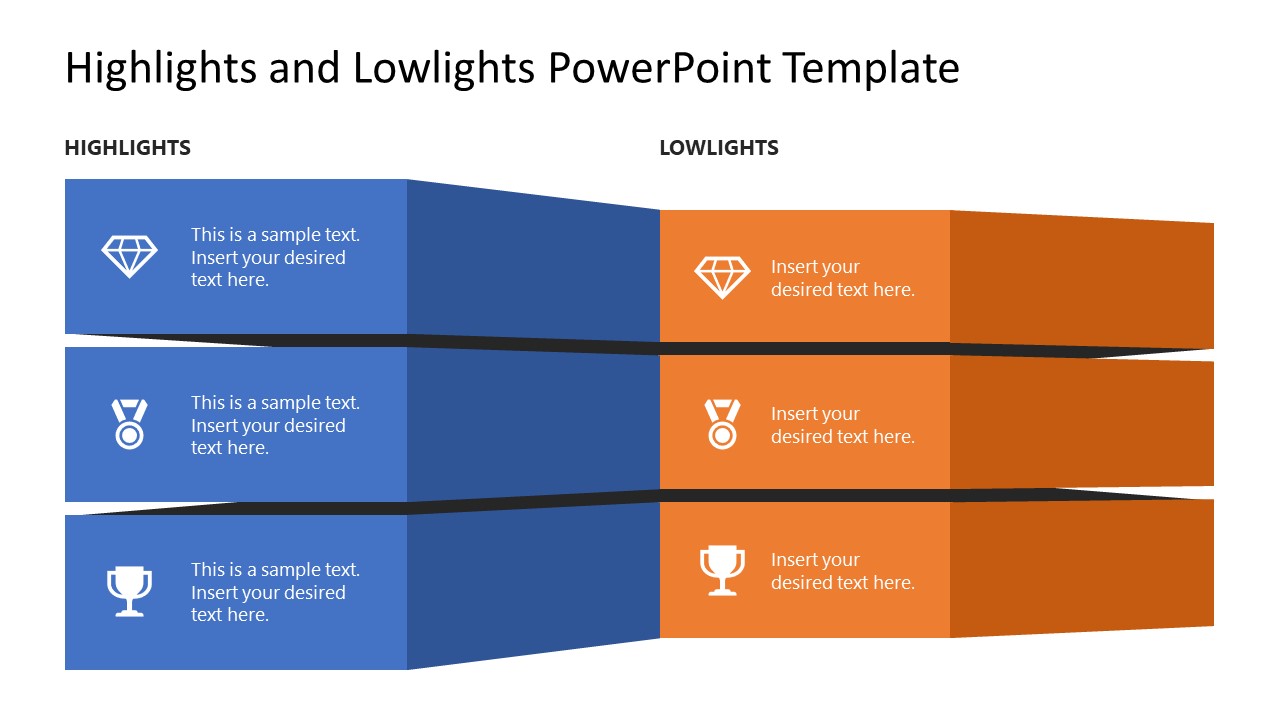


Highlights and Lowlights PowerPoint Template
2-slide 16:9 presentation template for highlights, lowlights, meeting agendas, and key factors.
The Highlights and Lowlights PowerPoint Template is a 2-slide presentation template for separating priority points from lower-priority issues. It includes stacked split-bar comparison diagrams, two-column highlights versus lowlights areas, and icon-supported rows for meeting notes, agenda points, training topics, or pros and cons in Microsoft PowerPoint and Google Slides.
- Category
- Text & Tables
- Rating

 Loading...
- Aspect ratio
- 16:9
- Item ID
- 22019-01
- Colors
 Microsoft PowerPoint
 Microsoft Copilot
 Claude for PowerPoint
Other formats supported
Subscribe today and get immediate
access to download our PowerPoint templates.