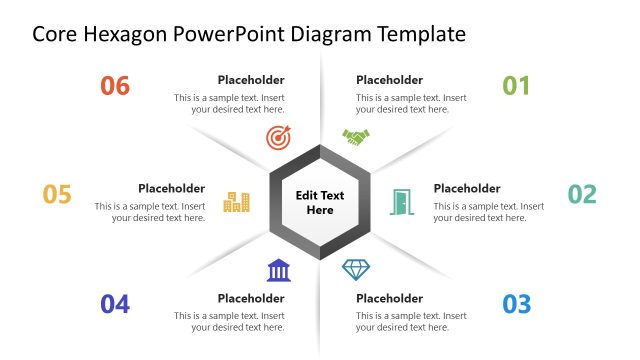
Present your ideas after a brainstorming session in the executive meetings with our Hexagonal Thinking PowerPoint Template in a compelling way. Scholars and teachers can use these hexagon shapes in their academic presentations to demonstrate the scientific processes. Mentors can explain theoretical concepts, professional ethics, and other moral values to the audience in conferences or webinars. We have provided multiple text placeholders throughout the slide to allow users to write the description concisely. Further, our template has many use cases:
- HR managers can use this template to showcase the recruitment process steps or improvements.
- Marketers can showcase their points of omnichannel strategy in the meetings.
- Project managers can highlight the milestones that need to be completed to ensure project completion.
- Product managers can use the hexagon shapes to pinpoint the key product features.
Our Hexagonal Thinking PowerPoint Template has a single slide with a hexagonal diagram. There are multiple hexagon shapes on the slide, where only six hexagons are colored, while the others are grey in color, adding visual effects to the slide. The colored hexagons feature a numerical digital and infographic icon, separated by a divider line. Additionally, we have included an editable placeholder text line to provide brief details about the highlighted point.
Users can customize the color labels used in the template layout according to their specific needs. This template is created with fully customizable PowerPoint elements that users can edit according to their needs. They can customize the text fonts, colors, shapes, and other features to fit their needs perfectly. They can also repurpose the template to effectively showcase their preferred topics. Download the hexagonal thinking PowerPoint template and grab it for your board presentations!
What’s inside this template
Example presentation scenarios
- An educator can use the hexagonal network diagram to guide students through related scientific concepts, with each numbered node representing one idea and the text callouts adding short explanations.
- A workshop facilitator can summarize a brainstorming session by placing the most important findings in the six colored hexagons and using the surrounding gray nodes to suggest related themes.
- A product manager can present a feature grouping discussion by assigning each icon-labeled hexagon to a product capability and explaining dependencies in the nearby text placeholders.
- An HR manager can describe recruitment process improvements by mapping six stages or priorities into the numbered hexagons and using callouts for policy notes or action owners.
Features
- 100% editable presentation template
- Compatible with Microsoft PowerPoint and Google Slides
- 16:9 aspect ratio slides
- Scalable vector shapes, icons and illustrations
- AI-Ready for Microsoft Copilot and Claude
- Instant access and download
Frequently asked questions
Q: How should a presenter explain the hexagonal thinking diagram without overloading the audience?
A: Start with the main idea behind the diagram, then move through the six colored hexagons in number order. Keep each node to one concise point and use the surrounding text callouts only for context, examples, or implications. This helps the audience see relationships while still following a clear speaking path.
Q: Who is this template best suited for in a business or learning session?
A: This template fits presenters who need to show relationships rather than linear steps. Educators can map concepts, facilitators can recap brainstorming themes, and managers can group process improvements or feature ideas. The hexagon layout works best when the message has several connected parts that should be discussed together.
Q: Why use a hexagon network instead of a standard list or table?
A: The hexagon metaphor makes each point feel like part of a connected system, not an isolated bullet. The colored nodes create focus, while the pale background hexagons imply additional context or future ideas. This structure encourages comparison, clustering, and discussion, which is stronger than a list for design thinking or concept mapping.


Hexagonal Thinking PowerPoint Template
7-slide presentation template for hexagonal thinking, idea maps, and connected concept diagrams.
The Hexagonal Thinking PowerPoint Template is a 7-slide diagram template for presenting connected ideas in Microsoft PowerPoint and Google Slides. The visible layout includes a hexagonal network diagram, six numbered idea nodes, icon-labeled hexagons, and surrounding text callouts for short explanations. It suits educators, facilitators, managers, and strategy teams.
- Category
- Diagrams
- Rating


 Loading...
- Aspect ratio
- 16:9
- Item ID
- 23036-01
- Colors
 Microsoft PowerPoint
 Microsoft Copilot
 Claude for PowerPoint
Other formats supported
Subscribe today and get immediate
access to download our PowerPoint templates.