Slide 8 of 15 from Global Expansion Plan PowerPoint Template
Risk Mitigation & Contingency Planning Presentation Slide
Risk Mitigation & Contingency Planning Slide
- Table
- Data Table
- Risk Assessment Slide
- 16:9
- 100% Editable
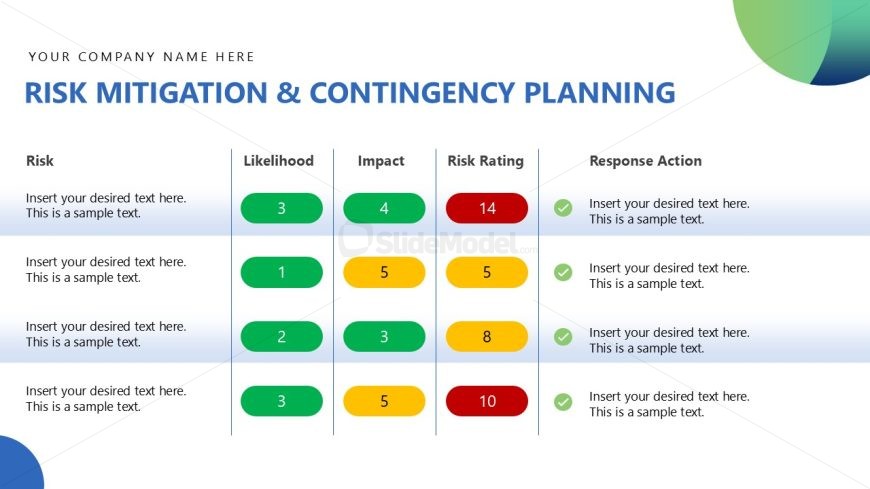
The Risk Mitigation & Contingency Planning slide from the Global Expansion Plan PowerPoint Template offers a structured table layout ideal for risk assessment presentations. Featuring editable shapes and color-coded indicators, it supports clear visualization of risk likelihood, impact, and response actions. This slide is suited for business presentation contexts such as project management meetings and strategic planning sessions, enhancing communication within corporate slide decks.
What’s on This Slide
The layout features a table with four columns and multiple rows. The first column is labeled 'Risk' and contains text placeholders for risk descriptions. The second and third columns labeled 'Likelihood' and 'Impact' include colored circles indicating numerical values. The fourth column, 'Risk Rating,' displays a larger colored circle for the overall rating. The final column, 'Response Action,' contains additional text placeholders. The overall design uses a blue and green color scheme, with a gradient background in the top right corner. The visual hierarchy emphasizes the table structure and the colored indicators.
How to Use It
This layout serves as a risk assessment tool, ideal for presenting risk mitigation strategies in a business context. It fits well after a problem-framing slide and before a strategic analysis slide, allowing for a clear transition. This format is useful for project management meetings, strategic planning sessions, or stakeholder presentations where risk assessment is crucial. It allows for easy comparison of risks and their potential impacts, facilitating informed decision-making.
Text Placeholders & Capacity
Keep your copy within these limits so it fits without resizing. Node body slots can accommodate roughly 15-20 words each.
| Placeholder | Count | Max characters (approx.) |
|---|---|---|
| Item heading | 4 | 50 |
| Item body | 4 | 100 |
| Chart title | 1 | 50 |
| Footer | 1 | 30 |
Slide Keywords
Download unlimited PowerPoint templates, charts and graphics for your presentations with our annual plan.
DOWNLOADReturn to Global Expansion Plan PowerPoint Template.