Slide 6 of 15 from Global Expansion Plan PowerPoint Template
Map Slide for Market Selection & Prioritization Presentation
Market Selection and Prioritization Slide
- Diagram
- Other
- Strategy Slide
- 16:9
- 100% Editable
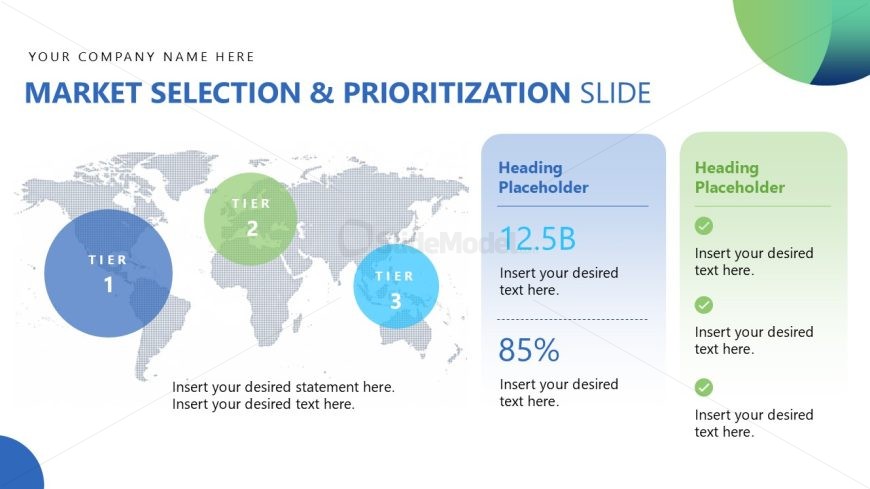
The Market Selection and Prioritization slide from the Global Expansion Plan PowerPoint Template offers a strategic layout featuring a world map and tiered market nodes. This slide template supports clear visualization of market analysis and prioritization, making it suitable for corporate presentations focused on expansion proposals. Its editable shapes and distinct sections help highlight key metrics, facilitating effective resource allocation and market entry strategies within a business presentation or pitch deck template.
What’s on This Slide
The layout features a world map with three circular nodes labeled as Tier 1, Tier 2, and Tier 3, positioned in the lower left. The circles vary in size, with Tier 1 being the largest. To the right, there are two rectangular containers with headings and text placeholders. The first container displays a figure of '12.5B' and a percentage '85%', both accompanied by additional text placeholders for further information. The overall color scheme includes blue, green, and light gray backgrounds, creating a clear visual hierarchy with distinct sections.
How to Use It
This layout serves to present market selection criteria and prioritize regions for expansion. It fits within a strategic presentation sequence, typically following an overview of market opportunities. This structure is useful for businesses assessing potential markets, showcasing market sizes, and highlighting key metrics. It is ideal for discussions on market entry strategies, resource allocation, and prioritization of target markets based on defined tiers.
Text Placeholders & Capacity
Keep your copy within these limits so it fits without resizing. Body slots can accommodate roughly 10-15 words each.
| Placeholder | Count | Max characters (approx.) |
|---|---|---|
| Slide title | 1 | 30 |
| Item heading | 3 | 10 |
| Item body | 3 | 50 |
| Body paragraph | 4 | 50 |
Slide Keywords
Download unlimited PowerPoint templates, charts and graphics for your presentations with our annual plan.
DOWNLOADReturn to Global Expansion Plan PowerPoint Template.