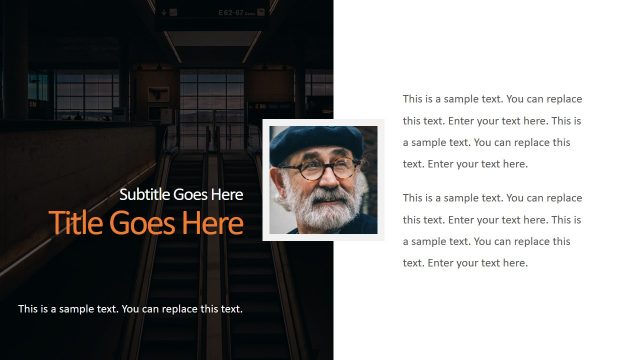
Slide 3 of 9 from Executive Corporate PowerPoint Template
Infographic PowerPoint Introduction PPT
Text and Image Layout for Presentations
- Media Layout
- Image + Text Split
- Context Slide
- 16:9
- 100% Editable
What’s on This Slide
The layout features a left-aligned image placeholder and a right-aligned text area. The image is framed within a white border, positioned at the top left. Below the image, there are multiple text placeholders stacked vertically. The title is prominently displayed at the top center in a large font, followed by a subtitle directly beneath it. The text placeholders are arranged in a single column, with ample space for body text. The background is a dark gradient, enhancing the contrast with the text and image. Overall, the composition is balanced with clear visual hierarchy.
How to Use It
This layout serves as an introduction or overview slide, effectively combining visual and textual elements. It fits well in a presentation sequence after a title slide and before detailed content slides. Ideal for business contexts, it can be used for personal introductions, project overviews, or to highlight key messages. The structure allows for easy readability while maintaining audience engagement through visual appeal. This layout is suitable for both formal and informal presentations, making it versatile for various business scenarios.
Text Placeholders & Capacity
Keep your copy within these limits so it fits without resizing. Body slots can hold roughly 15-20 words each.
| Placeholder | Count | Max characters (approx.) |
|---|---|---|
| Slide title | 1 | 30 |
| Subtitle | 1 | 40 |
| Body paragraph | 4 | 100 |
Slide Keywords
Download unlimited PowerPoint templates, charts and graphics for your presentations with our annual plan.
DOWNLOADReturn to Executive Corporate PowerPoint Template.