Slide 5 of 18 from Evidence-Based Insights PowerPoint Template
Research Question and Objectives Framework Slide
Research Question and Objectives Slide Overview
- Diagram
- Other
- Strategic Analysis Slide
- 16:9
- 100% Editable
The Research Question and Objectives Slide from the Evidence-Based Insights PowerPoint Template provides a clear visual framework for outlining central research questions and supporting objectives. This slide layout is ideal for academic discussions, project proposals, and strategic planning, featuring editable shapes that emphasize the main inquiry surrounded by contextual points. It integrates seamlessly into business presentations or pitch deck templates, enhancing clarity and focus in research presentations using professional slide templates.
What’s on This Slide
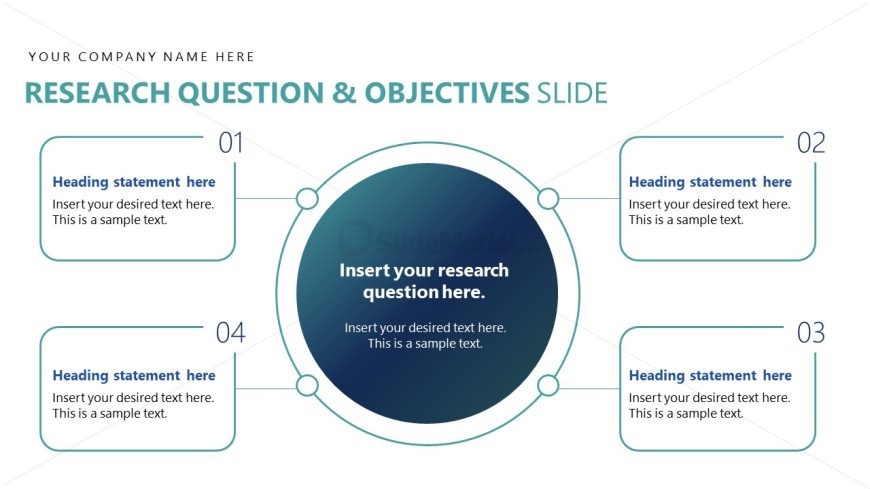
The layout features a central circular node positioned in the middle of the slide, containing a placeholder for the research question. Surrounding this central node are four rectangular text boxes, each aligned at the top, bottom, left, and right. Each box has a heading statement placeholder and a body text placeholder, allowing for structured input. The visual hierarchy emphasizes the central question, while the surrounding boxes support it with additional context. The background is a light color, enhancing readability and focus on the central node.
How to Use It
This layout serves as a visual framework for presenting a research question and its objectives. It fits well in a presentation sequence following an introductory slide, helping to clarify the focus of the research. This structure is useful in academic, business, or strategic contexts where defining research goals is essential. It can be applied in project proposals, academic presentations, or strategic planning sessions to outline key research elements clearly.
Text Placeholders & Capacity
Keep your copy within these limits so it fits without resizing. Node body slots can accommodate roughly 15-20 words each.
| Placeholder | Count | Max characters (approx.) |
|---|---|---|
| Slide title | 1 | 40 |
| Item heading | 4 | 30 |
| Item body | 4 | 100 |
Slide Keywords
Download unlimited PowerPoint templates, charts and graphics for your presentations with our annual plan.
DOWNLOADReturn to Evidence-Based Insights PowerPoint Template.