Slide 2 of 4 from Creative Tree Diagrams for PowerPoint
Tree Chart Diagram Design for PowerPoint
Creative Tree Diagram for PowerPoint
- Diagram
- Tree Hierarchy
- Concept Explanation Slide
- 16:9
- 100% Editable
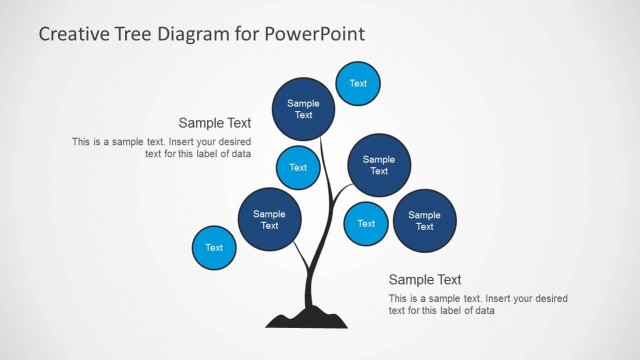
The Tree Diagram with Circular Nodes slide from the Creative Tree Diagrams for PowerPoint template offers a clear hierarchical layout ideal for business presentations and educational contexts. This slide template uses editable shapes and vector icons to visually map decision trees, growth themes, or concept hierarchies. Its balanced design with central nodes supports effective communication in corporate presentations or strategic pitch decks, making complex relationships easy to understand.
What’s on This Slide
The layout features a central tree trunk with circular nodes branching out. Nodes are arranged in a balanced manner, with larger circles representing primary categories and smaller circles for subcategories. The top section includes a title placeholder, while the bottom has a text placeholder for additional information. Each node has a placeholder for text, aligned centrally within the circles. The background is light gray, enhancing the visibility of the dark tree trunk and blue nodes. The overall composition emphasizes a hierarchical structure.
How to Use It
This layout serves as a visual representation of hierarchical relationships, ideal for illustrating concepts like decision trees or growth processes. It fits well in presentations discussing organizational structures, project planning, or strategic frameworks. This slide is particularly useful in educational settings or business contexts where clear visual metaphors enhance understanding. It can be used to depict branching ideas or themes effectively, making complex information more accessible.
Text Placeholders & Capacity
Keep your copy within these limits so it fits without resizing. Node labels can hold about 20 characters each.
| Placeholder | Count | Max characters (approx.) |
|---|---|---|
| Slide title | 1 | 30 |
| Body paragraph | 3 | 50 |
| Item heading | 12 | 20 |
Slide Keywords
Download unlimited PowerPoint templates, charts and graphics for your presentations with our annual plan.
DOWNLOADReturn to Creative Tree Diagrams for PowerPoint.