Slide 5 of 5 from Creative SWOT Diagram PowerPoint Template
Threats Slide – Creative SWOT Diagram Template
Creative SWOT Analysis Diagram for Presentations
- Diagram
- Matrix Quadrant
- Strategic Analysis Slide
- 16:9
- 100% Editable
What’s on This Slide
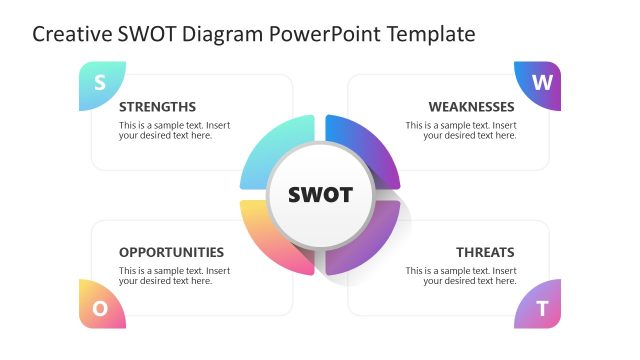
The layout features a central circular node labeled 'SWOT' surrounded by four quadrants. Each quadrant represents a component of the SWOT analysis: Strengths, Weaknesses, Opportunities, and Threats. The quadrants are color-coded with gradients, enhancing visual separation. Text placeholders are positioned within each quadrant, aligned centrally for uniformity. The overall composition is balanced, with the central node slightly raised to create depth. Background colors are light, allowing the text and shapes to stand out clearly. The design emphasizes clarity and organization.
How to Use It
This layout serves as a structured SWOT analysis tool, ideal for summarizing organizational strengths, weaknesses, opportunities, and threats. It fits well in a presentation sequence following a problem-framing slide, providing a clear analysis before proposing strategies. This diagram is suitable for business meetings, strategic planning sessions, or educational contexts where SWOT analysis is relevant. It can be used individually or as part of a broader analysis framework to facilitate decision-making and strategic discussions.
Text Placeholders & Capacity
Keep your copy within these limits so it fits without resizing. Node body slots are tight, roughly 10 words each.
| Placeholder | Count | Max characters (approx.) |
|---|---|---|
| Item heading | 4 | 30 |
| Item body | 4 | 50 |
| Slide title | 1 | 50 |
Slide Keywords
Download unlimited PowerPoint templates, charts and graphics for your presentations with our annual plan.
DOWNLOADReturn to Creative SWOT Diagram PowerPoint Template.