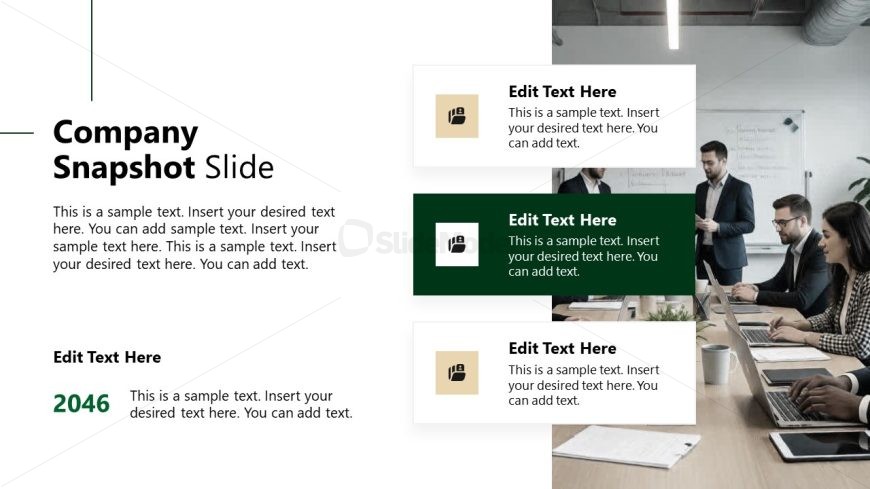
Slide 3 of 12 from Corporate Vision PowerPoint Template
Company Snapshot PPT Slide – Corporate Vision Template
Company Snapshot Slide for Presentations
- Text Layout
- Other
- Context Slide
- 16:9
- 100% Editable
The Company Snapshot Slide from the Corporate Vision PowerPoint Template offers a structured layout ideal for business presentations requiring a concise company overview. This slide template features editable shapes and vector icons to highlight key data points, making it suitable for quarterly reviews, strategic planning, and stakeholder updates within a corporate presentation or pitch deck template.
What’s on This Slide
The layout features a left-aligned title and subtitle at the top, with a large text placeholder below. On the right, there are three rectangular boxes stacked vertically, each containing a smaller text placeholder. The boxes are visually separated by a light background and colored icons representing different categories. The bottom section includes another text placeholder aligned left, with a numeric placeholder for a year. The overall composition is clean, with a clear visual hierarchy emphasizing the title and key points.
How to Use It
This layout serves as a company overview or snapshot, effectively summarizing key information. It fits well in a presentation sequence after introducing the company or before discussing specific strategies. This structure is suitable for business scenarios such as quarterly reviews, strategic planning sessions, or stakeholder updates, where concise information delivery is essential.
Text Placeholders & Capacity
Keep your copy within these limits so it fits without resizing. Body slots are tight, roughly 20-25 words each.
| Placeholder | Count | Max characters (approx.) |
|---|---|---|
| Slide title | 1 | 30 |
| Subtitle | 1 | 100 |
| Body paragraph | 1 | 150 |
| Item body | 3 | 100 |
| Item heading | 3 | 30 |
| Footer | 1 | 30 |
| Body paragraph | 1 | 150 |
Slide Keywords
Download unlimited PowerPoint templates, charts and graphics for your presentations with our annual plan.
DOWNLOADReturn to Corporate Vision PowerPoint Template.