Slide 2 of 2 from Color 5 Steps Shape for PowerPoint
3 Options Color Steps PowerPoint Stake Diagram
Color Steps PowerPoint Diagram
- Diagram
- Arrow Sequence
- Process Slide
- 16:9
- 100% Editable
The Color Steps Diagram slide from the Color 5 Steps Shape for PowerPoint template offers a clear visual process layout ideal for training presentations and project workflows. This slide features editable shapes in vibrant colors arranged around a central divider, making it suitable for step-by-step guides and product development explanations within business presentations or pitch deck templates.
About This Slide
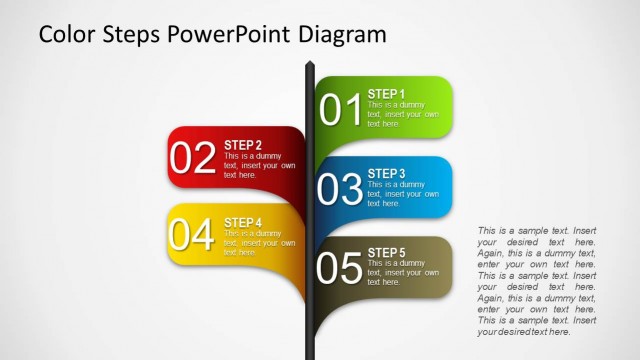
The slide design contains a 3 options color steps PowerPoint stake diagram which may be used to show three-step marketing plans are involved in a single major procedure. The PowerPoint slide may also be used to show three major aspects of an extensive business plan.
The main feature of the PowerPoint template is a 3D rod at the center, from which three rectangular PowerPoint shapes extend. Each rectangular shape has a different color, green, red, or blue, a large number from one to three, and a text placeholder where the labels and short descriptions may be inserted. The summary or discussion of the Office template may be placed in the text placeholder found on the lower left side of the PowerPoint slide. All PowerPoint objects are 100% editable to suit the presenter’s needs and preferences.
What’s on This Slide
The layout features a central vertical divider with three colorful step callouts positioned to the left and right. The left side contains a red callout labeled 'STEP 2' with a corresponding text placeholder below. To the right, there are two callouts: a green one labeled 'STEP 1' above and a blue one labeled 'STEP 3' below, each with their own text placeholders. The background is a light gradient, enhancing the visibility of the colorful shapes. The overall composition is structured for clarity and emphasis on the steps.
How to Use It
This layout serves as a process diagram, illustrating a sequence of steps in a clear, visual format. It is suitable for presentations that require a step-by-step explanation, such as training sessions, project workflows, or product development processes. This slide fits well after an introductory slide and can effectively summarize key phases or actions in a business context, making it useful for both internal and external communications.
Text Placeholders & Capacity
Keep your copy within these limits so it fits without resizing. Body slots can hold roughly 30-40 words each.
| Placeholder | Count | Max characters (approx.) |
|---|---|---|
| Slide title | 1 | 30 |
| Item heading | 3 | 10 |
| Item body | 3 | 100 |
| Body paragraph | 1 | 300 |
Slide Keywords
Download unlimited PowerPoint templates, charts and graphics for your presentations with our annual plan.
DOWNLOADReturn to Color 5 Steps Shape for PowerPoint.