Slide 2 of 13 from Client Onboarding PowerPoint Template
Introduction Slide for PowerPoint – Client Onboarding Template
Client Onboarding Introduction Slide
- Text Layout
- List Blocks
- Context Slide
- 16:9
- 100% Editable
The Introduction with Steps slide from the Client Onboarding PowerPoint Template offers a structured layout ideal for outlining sequential processes in business presentations. Featuring editable shapes and numbered text blocks, this slide template supports clear communication of onboarding steps, making it suitable for client meetings and training sessions. Its design enhances the flow of information in corporate presentations and pitch deck templates, ensuring a professional and organized slide deck.
What’s on This Slide
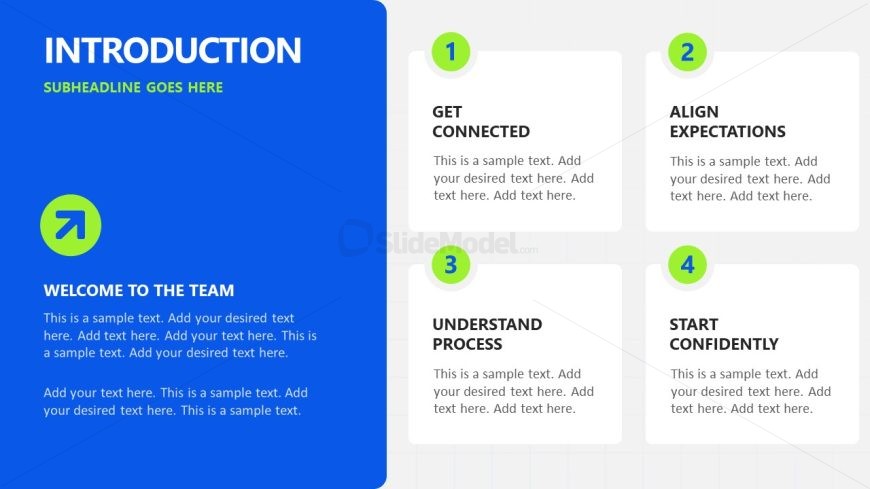
The slide features a blue left section with a large title and subtitle at the top. Below, a circular icon with an upward arrow is positioned. On the right, four square boxes are arranged in a grid, each containing a numbered label and a placeholder for text. The boxes are aligned in two rows, with the first row containing the first two steps and the second row containing the last two steps. The overall layout emphasizes the title and the steps, creating a clear visual hierarchy. Text placeholders are present in each box and the left section.
How to Use It
This layout serves as an introductory overview, outlining key steps in a client onboarding process. It is effective for presenting sequential information in a clear format. It fits well after a cover slide and can be used to introduce the onboarding journey. Suitable scenarios include client meetings, training sessions, or presentations aimed at new clients. The structured approach helps in setting expectations and guiding clients through the onboarding process.
Text Placeholders & Capacity
Keep your copy within these limits so it fits without resizing. Node body slots can hold roughly 30 words each.
| Placeholder | Count | Max characters (approx.) |
|---|---|---|
| Slide title | 1 | 30 |
| Subtitle | 1 | 30 |
| Item heading | 4 | 20 |
| Item body | 4 | 150 |
Slide Keywords
Download unlimited PowerPoint templates, charts and graphics for your presentations with our annual plan.
DOWNLOADReturn to Client Onboarding PowerPoint Template.