Slide 9 of 22 from Carioca PowerPoint Template
Organizational Structure 3 Level PPT
Organization Chart Slide for Presentations
- Diagram
- Org Chart
- Org Structure Slide
- 16:9
- 100% Editable
What’s on This Slide
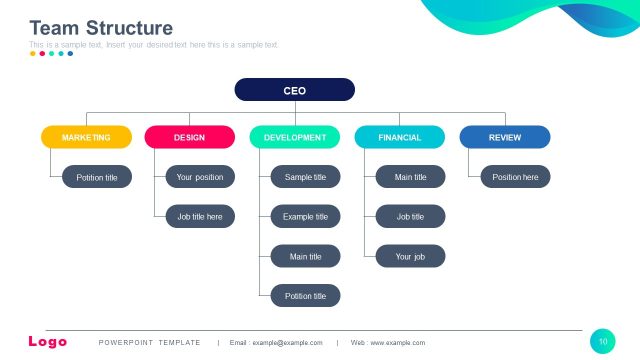
The slide features an organizational chart layout. At the top center, a blue rectangle labeled 'CEO' connects to two green rectangles labeled 'Marketing Manager' and 'Finance Manager' below. The 'Finance Manager' node connects downward to a green rectangle labeled 'CTO'. The 'Marketing Manager' node branches out to two purple rectangles labeled 'SEO Specialist' and 'Designer'. Each node has a placeholder for a name beneath it. The background is white, and the overall visual hierarchy emphasizes the CEO at the top, followed by the managers and their respective teams.
How to Use It
This layout serves as an organizational chart, illustrating the hierarchy within a company. It is suitable for presentations that require a clear depiction of team structures or roles. This slide fits well after introductory content about the company, providing context for the audience. It can be used in business meetings, project presentations, or team introductions to clarify roles and responsibilities within the organization.
Text Placeholders & Capacity
Keep your copy within these limits so it fits without resizing. Node labels can hold up to 30 characters, while body slots are tight with roughly 10 characters each.
| Placeholder | Count | Max characters (approx.) |
|---|---|---|
| Item heading | 6 | 30 |
| Item body | 6 | 10 |
Slide Keywords
Download unlimited PowerPoint templates, charts and graphics for your presentations with our annual plan.
DOWNLOADReturn to Carioca PowerPoint Template.