Slide 6 of 6 from BYOK Diagram PowerPoint Template
BYOK Diagram Template Layout with Infographics
Bring Your Own Key Diagram Overview
- Diagram
- Circular Cycle
- Concept Explanation Slide
- 16:9
- 100% Editable
The Bring Your Own Key Diagram slide from the BYOK Diagram PowerPoint Template offers a clear circular cycle layout ideal for cybersecurity training and compliance presentations. This slide template uses editable shapes and vector icons to visually explain key lifecycle management and cryptographic key portability, making it a practical choice for business presentations and corporate slide decks focused on key management strategies.
What’s on This Slide
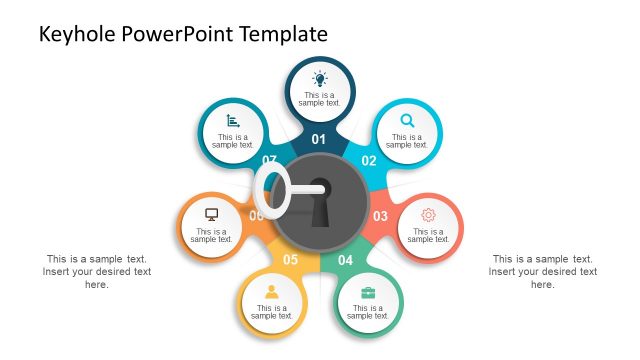
The layout features a central circular node labeled 'BRING YOUR OWN KEY DIAGRAM' surrounded by five equally sized circular nodes. These nodes are positioned at the top, bottom, left, and right, with labels such as 'Cryptographic Key Portability' and 'Key Lifecycle Management.' Each node contains an icon, such as a key or lock, enhancing visual clarity. There are two text placeholders positioned on the left side, aligned vertically, allowing for additional information. The background is white, providing contrast against the blue and gray elements, creating a clear visual hierarchy.
How to Use It
This layout serves as a process flow diagram, illustrating key components of a 'Bring Your Own Key' strategy. It fits well in a presentation discussing cybersecurity practices or compliance frameworks. This structure is useful for presenting complex information in a digestible format, ideal for training sessions or stakeholder meetings. It can effectively convey relationships between different aspects of key management, making it suitable for both educational and strategic discussions.
Text Placeholders & Capacity
Keep your copy within these limits so it fits without resizing. Node labels can hold up to 40 characters each.
| Placeholder | Count | Max characters (approx.) |
|---|---|---|
| Slide title | 1 | 30 |
| Item heading | 5 | 40 |
| Body paragraph | 2 | 50 |
Slide Keywords
Download unlimited PowerPoint templates, charts and graphics for your presentations with our annual plan.
DOWNLOADReturn to BYOK Diagram PowerPoint Template.