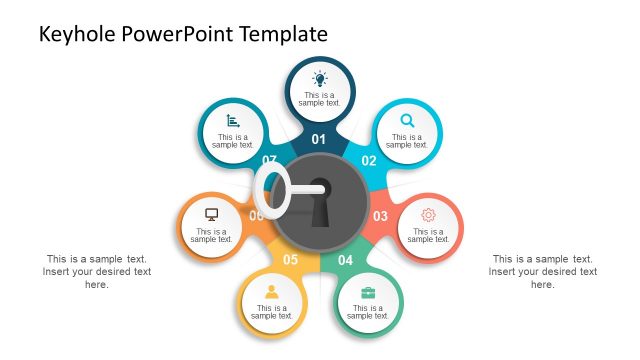
Slide 1 of 6 from BYOK Diagram PowerPoint Template
BYOK Diagram PPT Template with Segmented Diagram
Bring Your Own Key Diagram Overview
- Diagram
- Circular Cycle
- Concept Explanation Slide
- 16:9
- 100% Editable
The Bring Your Own Key Diagram slide from the BYOK Diagram PowerPoint Template offers a clear visual framework for cybersecurity presentations, focusing on key management concepts. This slide layout uses editable shapes and vector icons arranged in a circular cycle to help illustrate compliance training and security strategy discussions effectively within a business presentation or pitch deck template.
What’s on This Slide
The layout features a central circular node labeled 'BRING YOUR OWN KEY DIAGRAM' surrounded by five smaller circular nodes. These smaller nodes are positioned in a circular arrangement, each containing a label related to key management concepts. The icons within the smaller nodes include a key, a lock, a cycle symbol, a person, and gears. Text placeholders are located on the left and bottom sides, aligned to the left, allowing for additional information. The background is light, enhancing the visibility of the blue and white color scheme used throughout the diagram.
How to Use It
This layout serves as a visual representation of key management concepts, ideal for illustrating processes or frameworks in cybersecurity presentations. It fits well after an introductory slide, providing a clear overview of critical components. This structure is applicable in business scenarios such as compliance training, security strategy discussions, or presentations on cryptographic practices. It can also be used to facilitate discussions on disaster recovery and auditing processes.
Text Placeholders & Capacity
Keep your copy within these limits so it fits without resizing. Node labels can hold up to 30 characters each.
| Placeholder | Count | Max characters (approx.) |
|---|---|---|
| Slide title | 1 | 30 |
| Item heading | 5 | 30 |
| Body paragraph | 2 | 50 |
Slide Keywords
Download unlimited PowerPoint templates, charts and graphics for your presentations with our annual plan.
DOWNLOADReturn to BYOK Diagram PowerPoint Template.