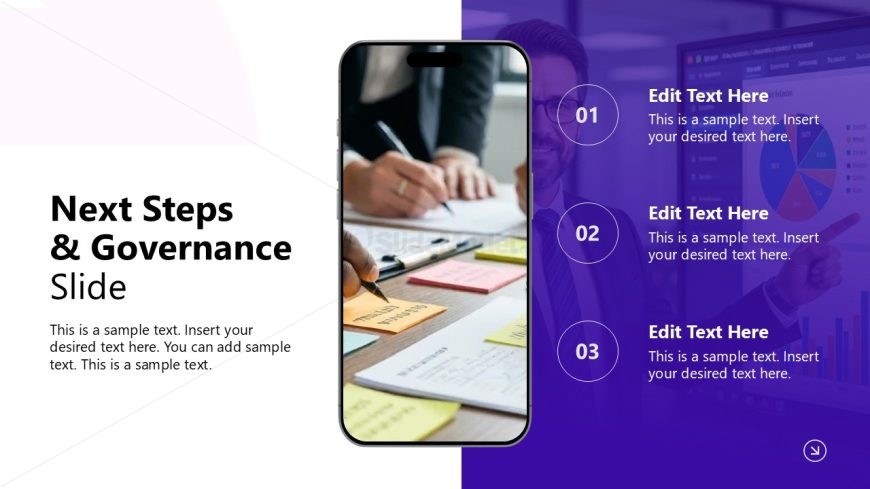
Slide 12 of 12 from Business Strategy Overview PowerPoint Template
Governance Points Presentation – Business Strategy Overview Layout
Next Steps & Governance Slide Overview
- Text Layout
- Other
- Process Slide
- 16:9
- 100% Editable
The Next Steps & Governance slide from the Business Strategy Overview PowerPoint Template offers a clear layout to summarize project actions and governance processes. Designed for business presentations, this slide uses editable shapes and numbered elements to guide audiences through key next steps, making it suitable for strategic planning and corporate meetings. Its vertical design integrates visual and textual content effectively within a professional slide deck.
What’s on This Slide
The slide features a vertical layout with a smartphone image on the left side, displaying hands writing on documents. To the right, three numbered circles are aligned vertically, each containing a text placeholder for titles and descriptions. The slide background is divided into two sections: a white area on the left and a purple gradient on the right. The title 'Next Steps & Governance' is prominently placed at the top left, followed by a subtitle placeholder. The overall visual hierarchy emphasizes the numbered items, guiding the viewer's focus from the image to the text areas.
How to Use It
This layout serves as a conclusion or action-oriented slide, ideal for summarizing next steps in a business strategy presentation. It fits well at the end of a presentation sequence, following sections that outline challenges and objectives. This format is suitable for business meetings, project updates, or strategic planning sessions, where clear next steps need to be communicated effectively. It can also be used in workshops to outline governance structures or decision-making processes.
Text Placeholders & Capacity
Keep your copy within these limits so it fits without resizing. Node body slots can hold about 15-20 words each.
| Placeholder | Count | Max characters (approx.) |
|---|---|---|
| Slide title | 1 | 30 |
| Subtitle | 1 | 50 |
| Item heading | 3 | 20 |
| Item body | 3 | 100 |
Slide Keywords
Download unlimited PowerPoint templates, charts and graphics for your presentations with our annual plan.
DOWNLOAD