Slide 13 of 17 from Business Case Studies PowerPoint Template
Qualitative Benefits and Outcomes Overview Slide
Qualitative Benefits Slide for Business Case Studies
- Diagram
- Arrow Sequence
- Concept Explanation Slide
- 16:9
- 100% Editable
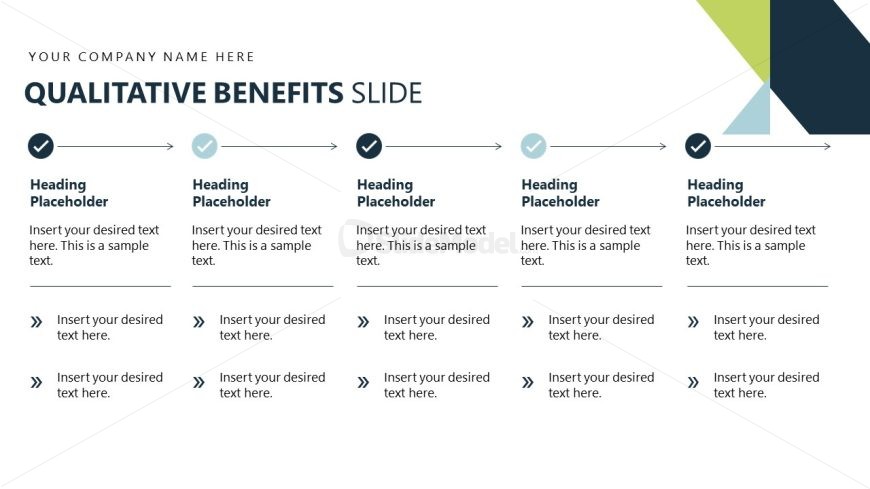
The Qualitative Benefits Slide from the Business Case Studies PowerPoint Template offers a clear, structured format to present project advantages and service features. This slide layout uses editable shapes and vector icons arranged in a horizontal arrow sequence, making it suitable for business presentations and pitch deck templates that require detailed explanation of multiple benefits in a logical flow.
What’s on This Slide
The layout features a horizontal arrangement of four sections, each containing a heading placeholder at the top. Below each heading, there are two text placeholders for detailed descriptions. Each section is separated by arrows indicating flow from left to right. The leftmost section includes a checkmark icon, while the others feature circular icons. The background is primarily white with dark blue accents, and a geometric shape in green and dark blue is positioned in the top right corner. The overall visual hierarchy emphasizes the headings and icons.
How to Use It
This layout serves as a structured way to present qualitative benefits in a business context. It is suitable for detailing advantages in case studies or proposals, fitting well after problem framing slides. This format is ideal for showcasing multiple benefits sequentially, allowing for clear comparisons. It can be used in various business scenarios, such as project evaluations, product benefits, or service advantages, where clarity and organization are essential.
Text Placeholders & Capacity
Keep your copy within these limits so it fits without resizing. Node body slots can hold about 8-10 words each.
| Placeholder | Count | Max characters (approx.) |
|---|---|---|
| Slide title | 1 | 30 |
| Item heading | 4 | 30 |
| Item body | 8 | 50 |
Slide Keywords
Download unlimited PowerPoint templates, charts and graphics for your presentations with our annual plan.
DOWNLOADReturn to Business Case Studies PowerPoint Template.