BMI Chart Template for PowerPoint– BMI or Body Mass Index is a measurement of the height and weight. It identifies a person’s body fat component. After determining that amount, the person is classified to be underweight, normal, overweight or obese. Generate smart and colorful BMI charts with the template. Impress professional audiences with comprehensive health and medical-related presentations.
The BMI Chart tool has a minimal margin of error. Although given that fact, certain applications towards children, athletes, old age groups and PWD’s or persons with disability. It is a useful diagram on gaining consciousness of one’s health. An individual who is underweight can be associated with malnutrition, anorexia nervosa and other eating disorders. Obesity on the other hand, are caused by factors like genetics, lifestyle, unhealthy diet, medical problems, stress, age, pregnancy and drug use or smoking withdrawal. The complications of obesity are of great risk. Some examples are high blood pressure, heart disease, stroke, cancer, among others. Here are the generally accepted BMI ranges:
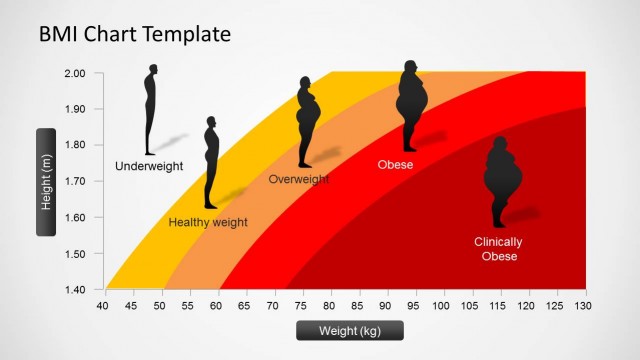
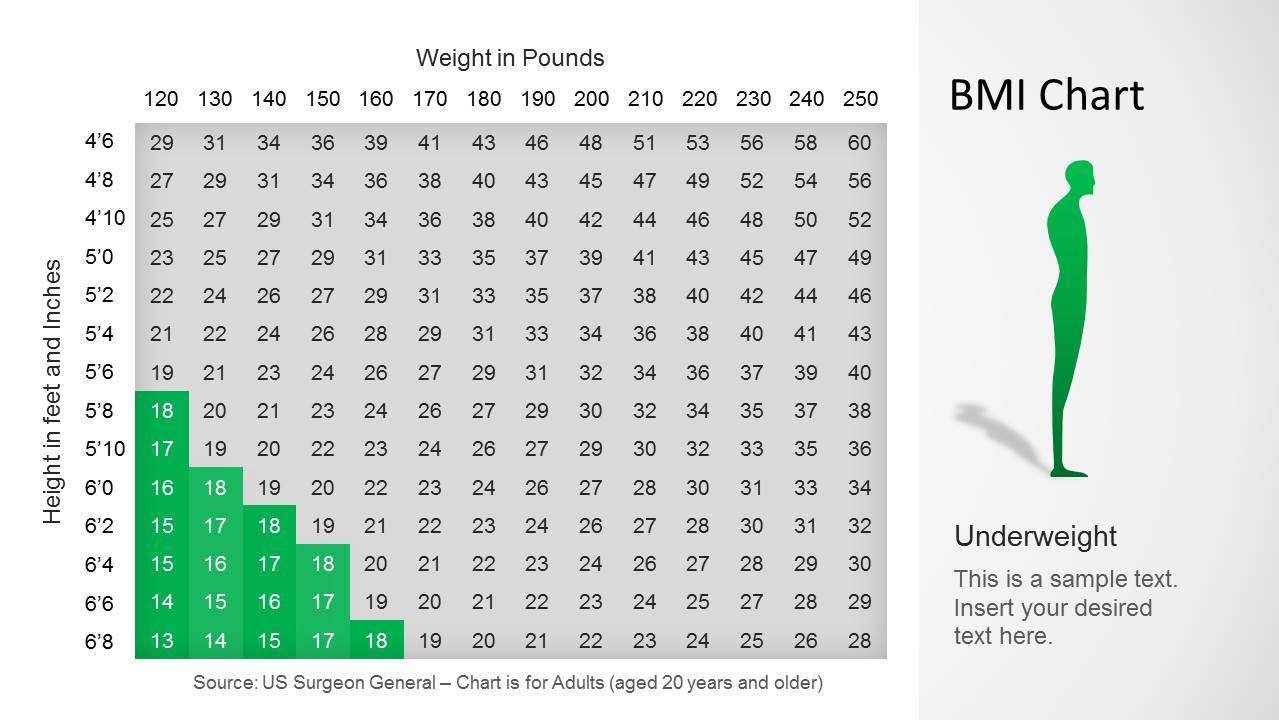
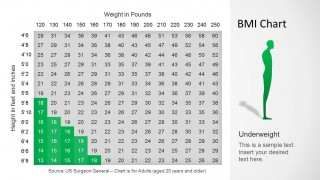
Underweight: 18.5 below
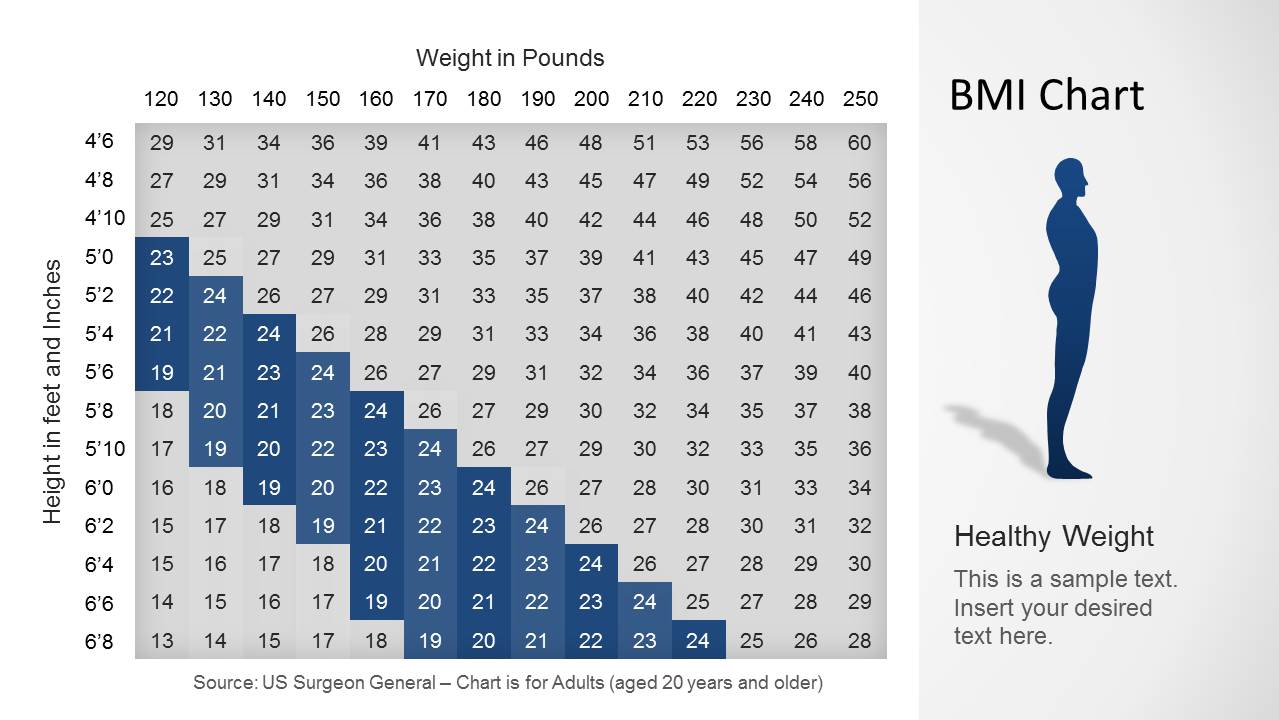
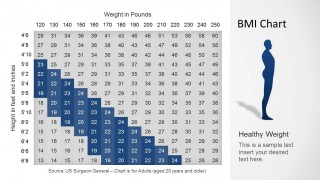
Normal weight: 18.5- 25
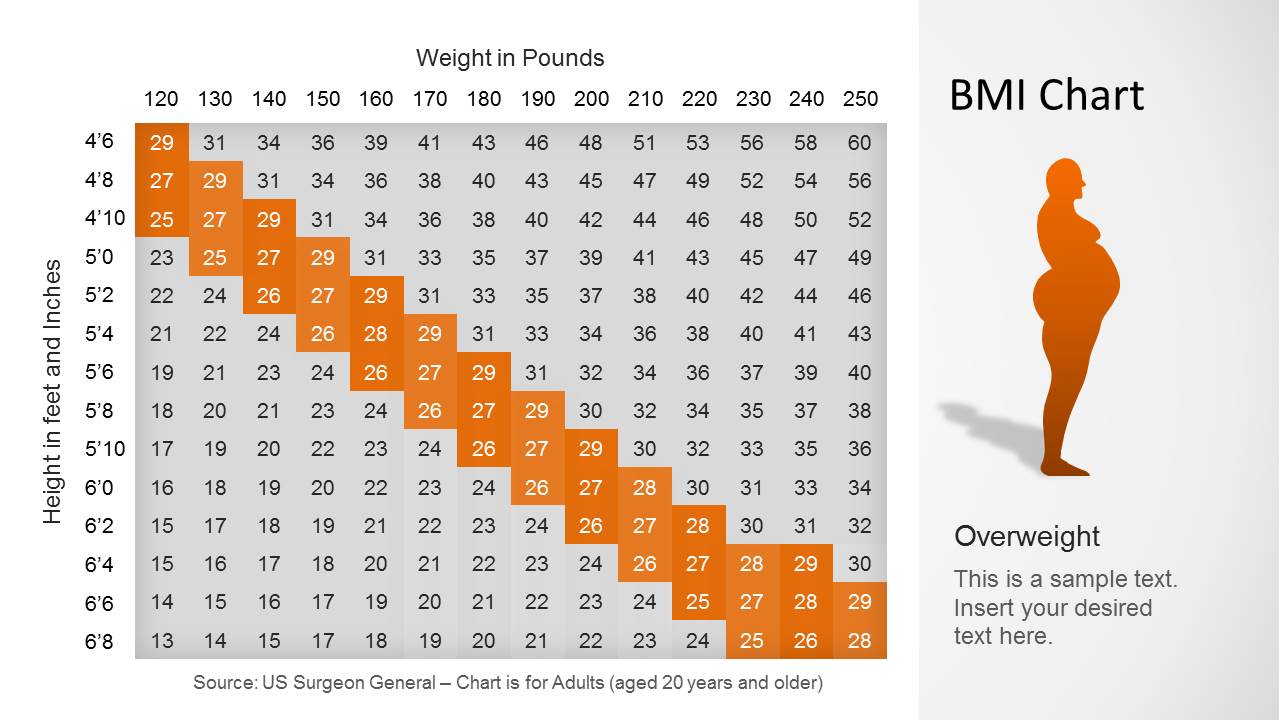
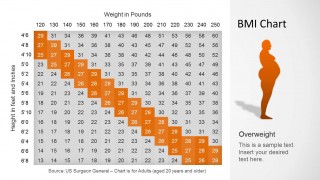
Overweight: 25- 30
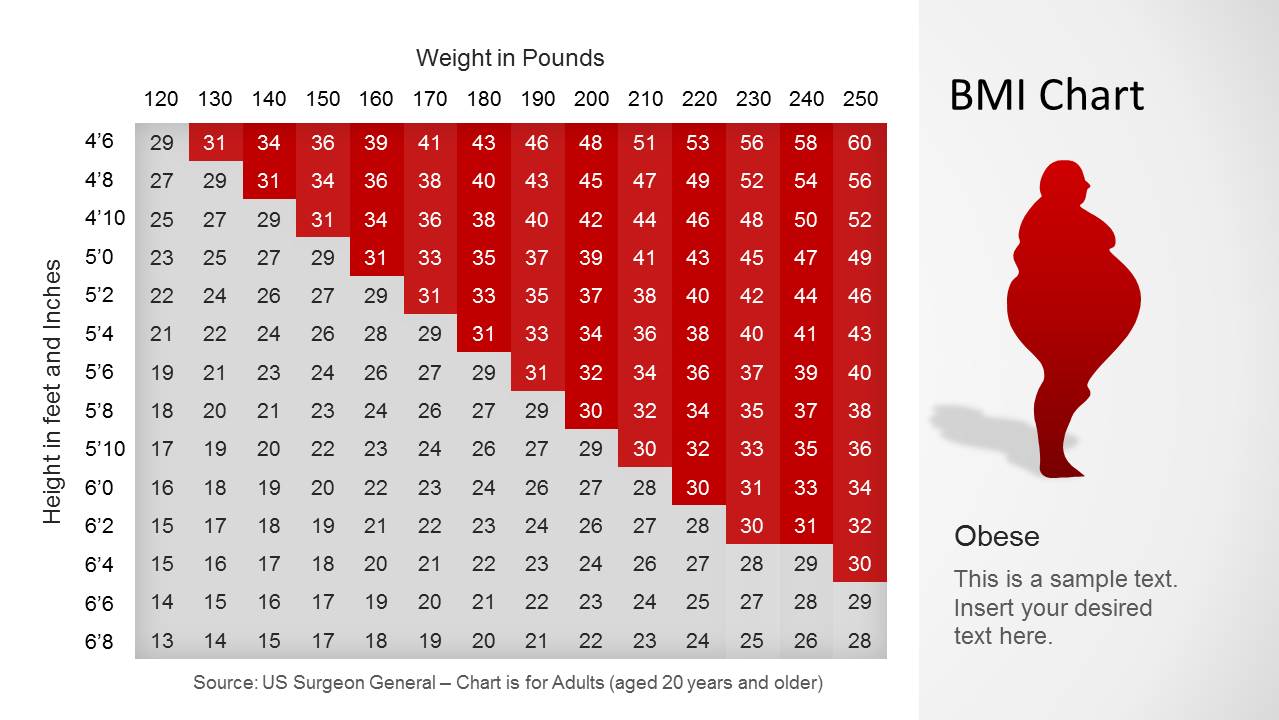
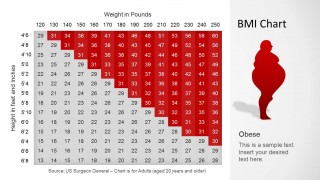
Obese : over 30
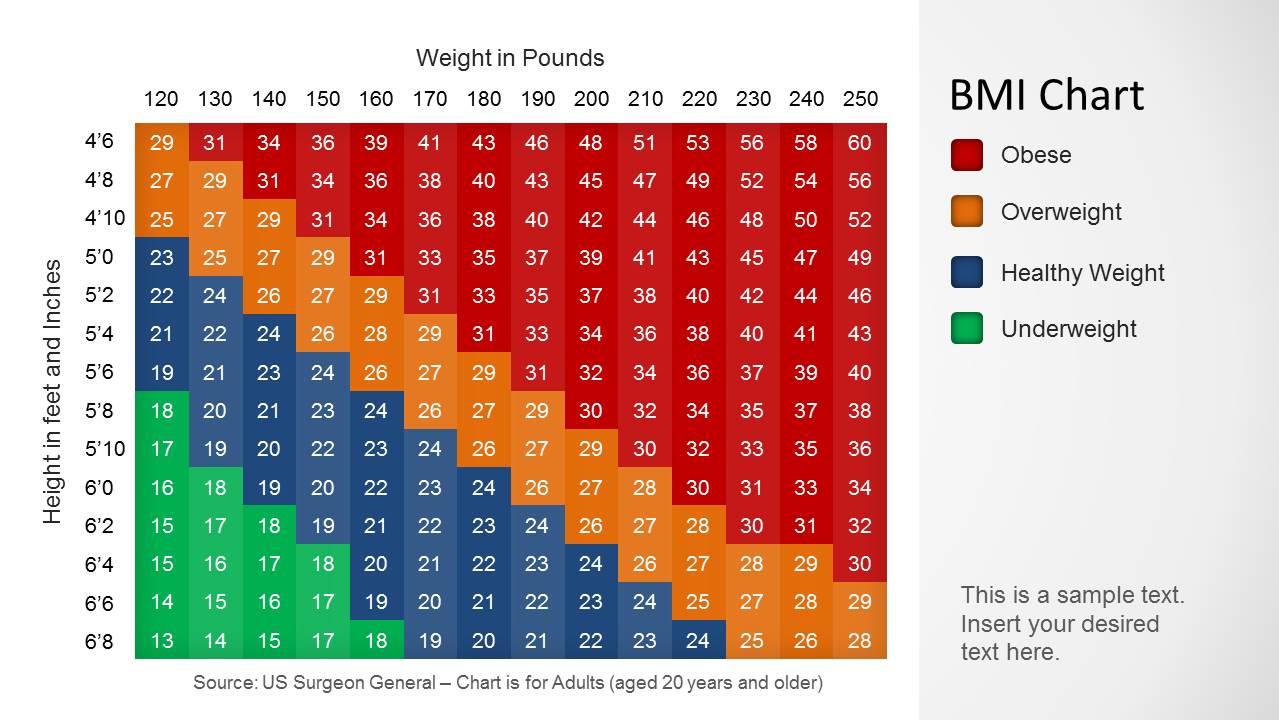
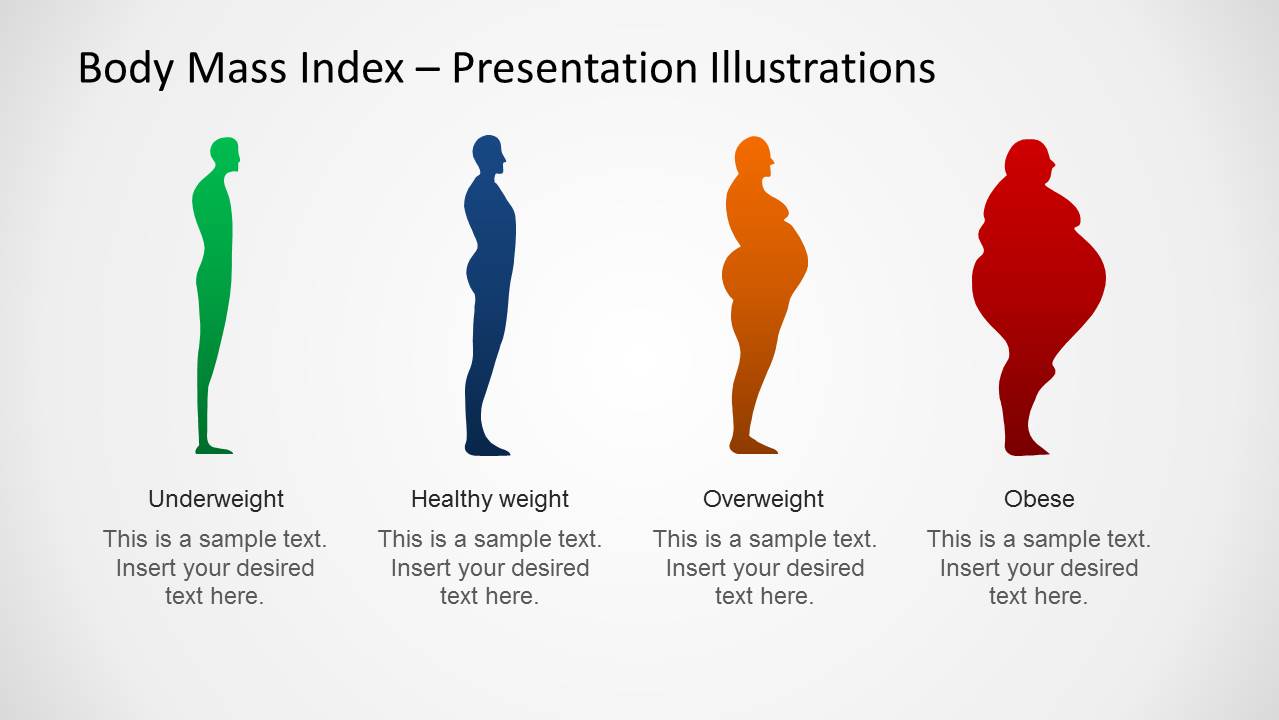
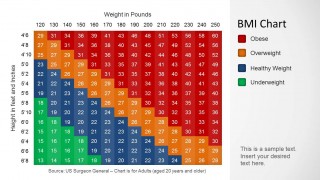
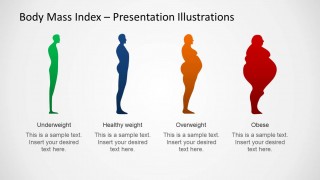
There are 6 slide designs in the PowerPoint template. The first slide shows the complete BMI chart with colors that correspond to a particular classification. Legends are shown on the right side of the layout. Red stands for obese; orange for overweight; blue for healthy and green for underweight. Variable labels (height and weight) are displayed on the left and upper portion of the graph. In the second to fifth slide, every classification is individually presented. The last slide contains human body PowerPoint shapes that represent every BMI class.
The PowerPoint template is ideal for health industry presentation and medical reports. The user can associate it to human development and anatomy. Concepts like sociology and physiology are also perfect subject matters.
Create powerful and stunning visuals using BMI Chart Template for PowerPoint. Download BMI Chart For PowerPoint Template from the SlideModel gallery.
What’s inside this template
Example presentation scenarios
- A public health educator can use the full BMI heatmap chart to teach how height and weight combine into underweight, healthy weight, overweight, and obese classifications.
- A clinician can use the four category highlight slides to explain a patient's BMI range visually while adding plain-language notes beside each silhouette.
- A wellness coach can use the final silhouette comparison panel to introduce body mass categories before discussing nutrition, movement, and screening guidance.
- A medical student or instructor can use the numeric matrix and color legend to report BMI reference ranges during a lecture on obesity risk factors.
Features
- 100% editable presentation template
- Compatible with Microsoft PowerPoint and Google Slides
- Scalable vector shapes, icons and illustrations
- AI-Ready for Microsoft Copilot and Claude
- Instant access and download
Frequently asked questions
Q: How should a presenter explain the BMI chart without overwhelming the audience?
A: Start with the full color-coded matrix so the audience understands the two inputs: height and weight. Then move through the category highlight slides one at a time. This sequence lets viewers see where each BMI class appears on the grid before comparing the four body silhouettes as a summary.
Q: Who is this template best suited for in a healthcare presentation?
A: This template fits presenters who need to teach or report BMI categories rather than diagnose an individual patient. Public health educators, clinicians, wellness coaches, and medical instructors can use the chart to explain adult weight classifications, support prevention discussions, or frame a broader talk about obesity, underweight risk, or wellness screening.
Q: Why does the template pair a numeric BMI matrix with body silhouettes?
A: The matrix gives the precise reference structure, while the silhouettes translate the categories into an immediate visual metaphor. That pairing helps audiences move from numbers to meaning. The class-specific colors also reduce scanning effort because each health category has its own consistent visual cue across the deck.
BMI Chart Template for PowerPoint
6-slide PowerPoint presentation template for BMI heatmap charts, weight classes, and body silhouette illustrations
BMI Chart Template for PowerPoint is a 6-slide data chart deck for explaining Body Mass Index categories. It includes a full BMI heatmap chart, class-specific highlight charts for underweight, healthy weight, overweight, and obese, plus a silhouette comparison panel for health educators, clinicians, and wellness presenters.


 Loading...
 Microsoft PowerPoint
  Microsoft Copilot
  Claude for PowerPoint
 Other formats supported
Subscribe today and get immediate
access to download our PowerPoint templates.