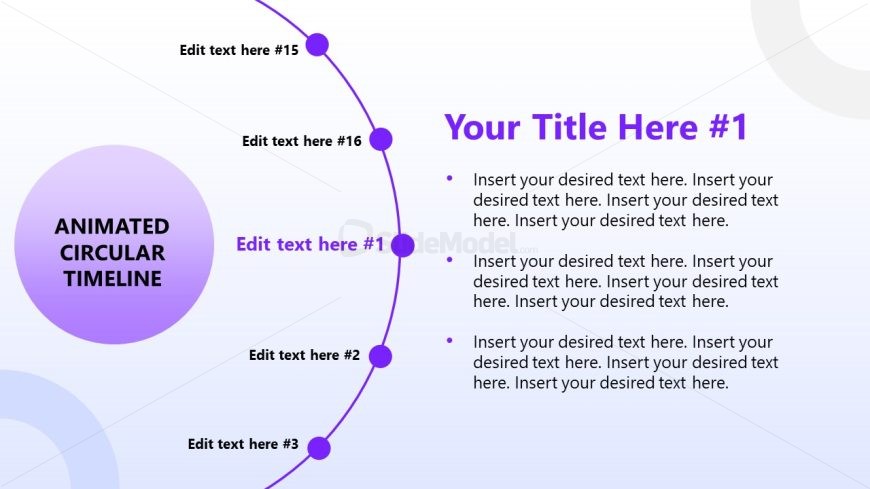
Slide 2 of 17 from Animated Circular Timeline PowerPoint Template
Gradient Background – Animated Circular Timeline Diagram Slide
Animated Circular Timeline for Presentations
- Diagram
- Circular Cycle
- Timeline Slide
- 16:9
- 100% Editable
The Animated Circular Timeline slide from the Animated Circular Timeline PowerPoint Template offers a visually engaging way to present project timelines and monthly overviews. This slide layout features editable shapes arranged in a circular flow, ideal for business presentations that require clear chronological sequencing. It supports detailed event planning and milestone tracking within professional slide decks, making it a practical choice for corporate presentation needs using PowerPoint templates or Google Slides templates.
What’s on This Slide
The layout features a circular timeline with a large central circle containing the title 'ANIMATED CIRCULAR TIMELINE.' Surrounding this circle are smaller circles, each labeled as 'Edit text here #1' through 'Edit text here #16.' The timeline is arranged in a circular format, with connecting lines leading to each smaller circle. Text placeholders are positioned around the circle, with a bullet list on the right side. The overall color scheme includes shades of purple and a gradient background. The visual hierarchy emphasizes the central title and the circular flow of the timeline.
How to Use It
This layout serves as a circular timeline, ideal for illustrating processes or events over time. It fits well in presentations that require a chronological overview or project milestones. This structure can be used in business contexts such as project planning, product launches, or marketing strategies. It is particularly effective for showcasing monthly timelines or phases in a project. The circular design allows for a clear representation of sequential information while maintaining viewer engagement.
Text Placeholders & Capacity
Keep your copy within these limits so it fits without resizing. Body slots can hold roughly 30-40 words each.
| Placeholder | Count | Max characters (approx.) |
|---|---|---|
| Slide title | 1 | 30 |
| Item heading | 16 | 20 |
| Body paragraph | 3 | 200 |
Slide Keywords
Download unlimited PowerPoint templates, charts and graphics for your presentations with our annual plan.
DOWNLOAD