Slide 13 of 17 from Animated Circular Timeline PowerPoint Template
Engaging Animated Circular Timeline PPT Layout
Animated Circular Timeline Slide
- Diagram
- Circular Cycle
- Timeline Slide
- 16:9
- 100% Editable
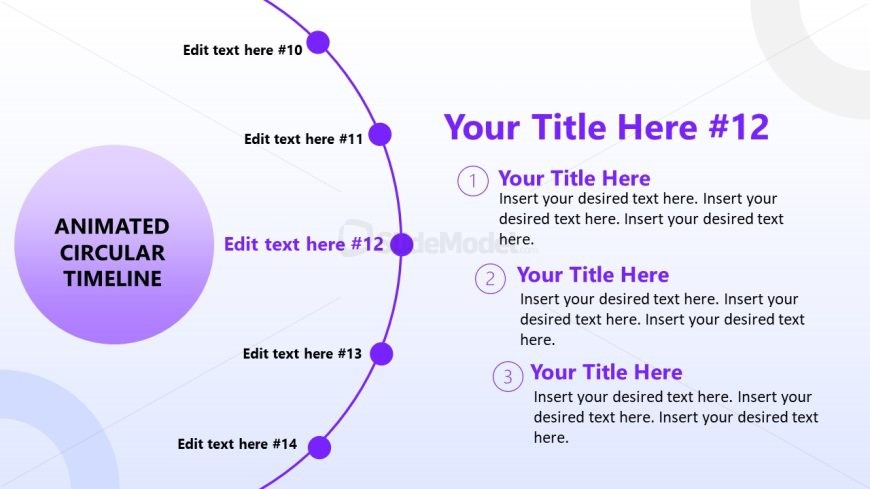
The Circular Timeline with Steps slide from the Animated Circular Timeline PowerPoint Template offers a clear visual for project planning and event scheduling. This slide layout uses editable shapes and numbered nodes arranged in a circular format to present sequential information effectively. Ideal for business presentations, it supports outlining monthly goals or process steps within a corporate presentation or pitch deck template.
What’s on This Slide
The layout features a circular timeline with nodes positioned around the perimeter. Each node is represented as a purple circle containing text placeholders, with the current node highlighted in a larger format. The central area contains a large circle with the title 'ANIMATED CIRCULAR TIMELINE' in bold text. Text placeholders are aligned to the right of the timeline, with numbered steps indicating sequential information. The background is a gradient from light to dark, enhancing the visual hierarchy and focus on the timeline structure.
How to Use It
This layout serves as a sequential process representation, ideal for outlining steps in a project or timeline. It fits well in presentations that require a chronological overview, such as project planning or event scheduling. This slide can be used to illustrate phases of a project, monthly goals, or stages in a development process, making it suitable for business contexts where time management is essential.
Text Placeholders & Capacity
Keep your copy within these limits so it fits without resizing. Node body slots can accommodate roughly 20-25 words each.
| Placeholder | Count | Max characters (approx.) |
|---|---|---|
| Slide title | 1 | 30 |
| Item heading | 5 | 20 |
| Item body | 5 | 100 |
Slide Keywords
Download unlimited PowerPoint templates, charts and graphics for your presentations with our annual plan.
DOWNLOAD