Slide 1 of 2 from Animated 7 Steps Arrow Infographics
Editable Animated 7 Steps Arrow Diagram PPT Template
7 Steps Arrow Infographic Template
- Diagram
- Arrow Sequence
- Process Slide
- 16:9
- 100% Editable
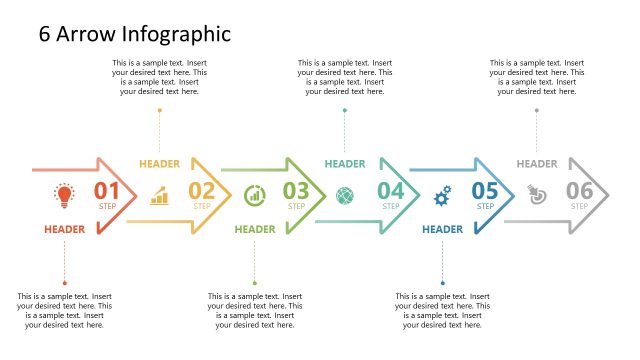
The 7 Steps Arrow Infographic slide from the Animated 7 Steps Arrow Infographics template offers a clear, sequential diagram ideal for illustrating project workflows and strategic initiatives. This slide layout uses editable shapes and vector icons arranged in a right-pointing arrow segmented into seven steps, making it suitable for business presentations and pitch deck templates that require a structured process visualization.
What’s on This Slide
The slide features a large, stylized arrow pointing right, divided into seven horizontal segments. Each segment is a different color, representing steps numbered 01 to 07. The segments contain text placeholders aligned to the left, with a circular icon placeholder on the right side. The background is a light gradient, transitioning from white to a soft gray. The title is positioned at the top center, while the text placeholders are arranged vertically along the left side of the arrow. The overall layout emphasizes the sequential flow of steps.
How to Use It
This layout serves as a sequential diagram to illustrate a seven-step process or workflow. It is suitable for presentations that require clear, step-by-step explanations, such as project plans, action items, or strategic initiatives. This slide fits well in a presentation sequence following an introduction or problem statement, guiding the audience through a structured approach. It can be effectively used in business meetings, training sessions, or educational contexts to convey complex information in a simplified manner.
Text Placeholders & Capacity
Keep your copy within these limits so it fits without resizing. Node labels can accommodate about 10 words each, while body text can hold around 20 words.
| Placeholder | Count | Max characters (approx.) |
|---|---|---|
| Slide title | 1 | 30 |
| Item heading | 7 | 50 |
| Body paragraph | 7 | 100 |
Slide Keywords
Download unlimited PowerPoint templates, charts and graphics for your presentations with our annual plan.
DOWNLOADReturn to Animated 7 Steps Arrow Infographics.