Slide 2 of 5 from Animated 3D Multiple Arrows Crossing Wall PowerPoint Template
PowerPoint Wall Crossing 3D Model
3D Goal and Idea Diagram for Presentations
- Diagram
- Other
- Strategy Slide
- 16:9
- 100% Editable
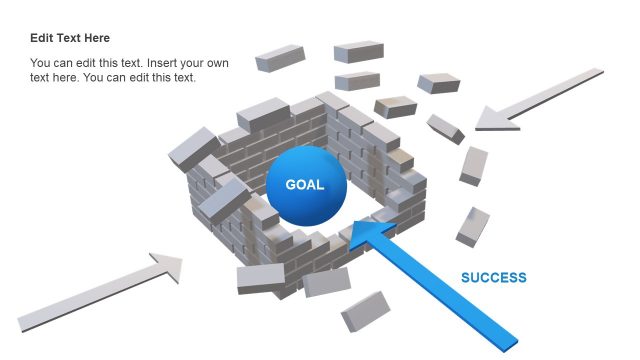
The 3D Goal and Idea Diagram slide from the Animated 3D Multiple Arrows Crossing Wall PowerPoint Template offers a strategic visual layout ideal for business presentations. This slide template uses editable shapes and vector icons to highlight central goals surrounded by supporting ideas, making it suitable for strategic planning and project presentations within corporate slide decks.
What’s on This Slide
The slide features a 3D brick wall structure with a central blue sphere labeled 'GOAL'. Surrounding the sphere are text placeholders positioned at the top, left, and right, allowing for customizable content. Below the sphere, an upward-pointing arrow directs attention to the sphere. The text placeholders are aligned to the left and right of the wall, creating a balanced visual hierarchy. The overall composition emphasizes the goal at the center, framed by the wall, with clear pathways indicated by the arrow and surrounding text areas.
How to Use It
This layout serves as a visual representation of goals and ideas, making it suitable for presentations focused on strategic planning or project objectives. It can be effectively used to illustrate the relationship between ideas and goals, especially in business contexts. This slide fits well after problem identification slides, leading into solutions or action plans. It is ideal for workshops, team meetings, or strategic discussions where clarity of objectives is essential.
Text Placeholders & Capacity
Keep your copy within these limits so it fits without resizing. Text slots can accommodate short phrases, roughly 10 words each.
| Placeholder | Count | Max characters (approx.) |
|---|---|---|
| Item body | 3 | 50 |
| Slide title | 1 | 20 |
Slide Keywords
Download unlimited PowerPoint templates, charts and graphics for your presentations with our annual plan.
DOWNLOADReturn to Animated 3D Multiple Arrows Crossing Wall PowerPoint Template.