Slide 9 of 9 from Animated 3D Crossing Wall Concept PowerPoint Template
3D Objects In PowerPoint
3D Model Insertion Guidelines for Presentations
- Text Layout
- Other
- Process Slide
- 16:9
- 100% Editable
What’s on This Slide
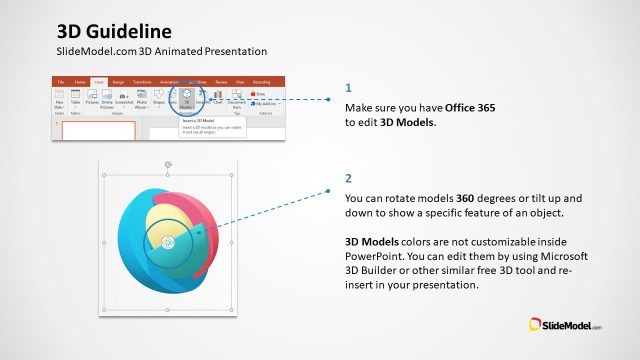
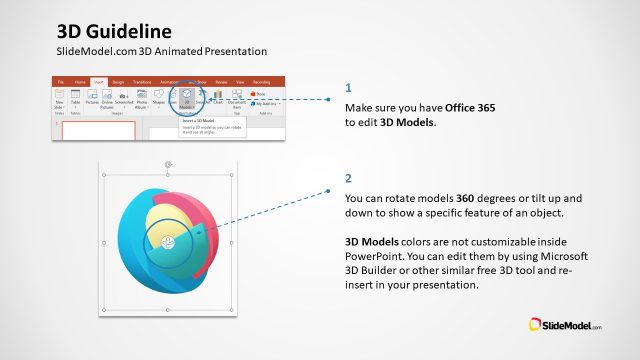
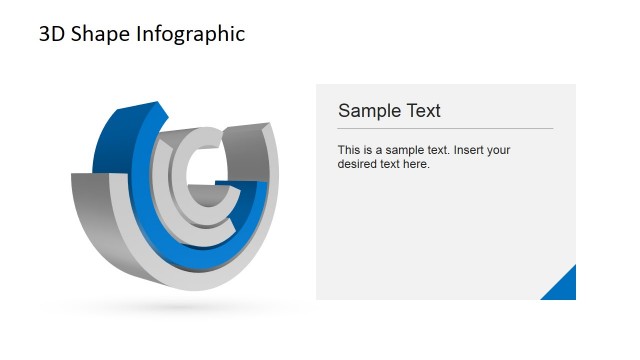
The slide features a top section with a title aligned left, stating '3D Guideline.' Below, there are two numbered instructions presented in a left-aligned format. The first instruction emphasizes ensuring Office 365 availability for editing 3D models, while the second explains how to rotate models. A central circular 3D model illustration is present, showcasing a colorful design. Text placeholders exist for the instructions, with a visual hierarchy indicating the title's prominence. The background is a light gradient, enhancing readability.
How to Use It
This layout serves as a guideline for inserting 3D models into presentations, fitting well in a tutorial or instructional sequence. It is suitable for scenarios where users need to understand how to utilize 3D features in PowerPoint, particularly in training sessions or workshops. The slide effectively communicates essential steps for leveraging 3D capabilities, making it valuable for presentations focused on enhancing visual engagement with 3D content.
Text Placeholders & Capacity
Keep your copy within these limits so it fits without resizing. Body slots can accommodate approximately 20-25 words each.
| Placeholder | Count | Max characters (approx.) |
|---|---|---|
| Slide title | 1 | 30 |
| Body paragraph | 2 | 150 |
Slide Keywords
Download unlimited PowerPoint templates, charts and graphics for your presentations with our annual plan.
DOWNLOADReturn to Animated 3D Crossing Wall Concept PowerPoint Template.