Slide 2 of 2 from Advanced Business Process Diagram PowerPoint Template
Advanced Business Process Diagram for Presentation
Business Process Flow Diagram Slide
- Diagram
- Process Flow
- Process Slide
- 16:9
- 100% Editable
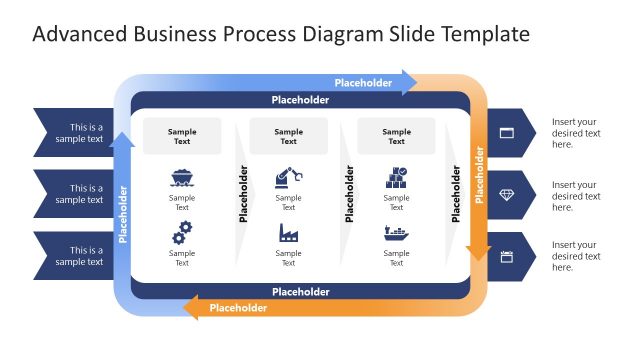
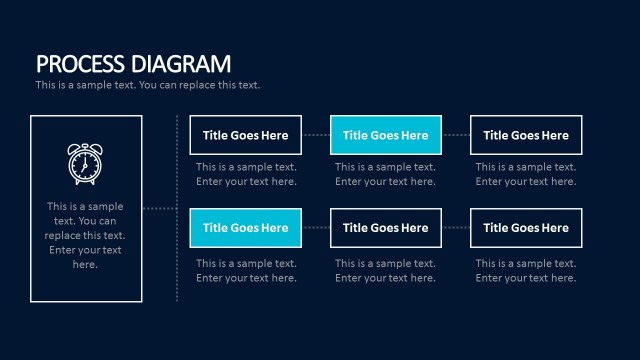
The Business Process Flow Diagram slide from the Advanced Business Process Diagram PowerPoint Template offers a clear layout for mapping workflows and project steps. Designed with editable shapes and vector icons, this slide template supports detailed visualization of business processes, making it a practical choice for corporate presentations and business presentation slide decks.
What’s on This Slide
The layout features a central rectangular area containing multiple placeholders for text, arranged in two rows. The top row has three placeholders, while the bottom row has two. Each placeholder is flanked by icons representing various business concepts, such as gears and ships. A directional arrow runs horizontally across the top, indicating flow, while another arrow runs along the bottom, suggesting movement. The background is dark blue, with contrasting light-colored text and icons. Text placeholders are aligned centrally within their respective containers.
How to Use It
This layout serves as a business process flow diagram, ideal for illustrating sequential steps or stages in a process. It fits well in presentations discussing operational workflows or project management strategies. Use it to present complex information in a structured manner, making it suitable for team meetings or stakeholder updates. It is particularly effective for visualizing processes that involve multiple components or departments.
Text Placeholders & Capacity
Keep your copy within these limits so it fits without resizing. Node body slots can hold roughly 30 characters each.
| Placeholder | Count | Max characters (approx.) |
|---|---|---|
| Item body | 5 | 30 |
| Slide title | 1 | 50 |
Slide Keywords
Download unlimited PowerPoint templates, charts and graphics for your presentations with our annual plan.
DOWNLOADReturn to Advanced Business Process Diagram PowerPoint Template.